open-design-landing은(는) 무엇을 하나요?
Atelier Zero 디자인 시스템으로 단일 페이지 에디토리얼 랜딩 사이트를 구축합니다. 따뜻한 종이 배경, Inter Tight + Playfair Display, 이탤릭 세리프 강조, 점선, 산호색 종점, 스크롤 리빌 모션, 16개의 초현실 콜라주 시트를 포함합니다.
이것은 Open Design 마케팅 페이지의 공식 레시피입니다. 예시 출력은 open-design에서 확인할 수 있습니다.
이 스킬은 완전히 파라미터화되어 있습니다. 에이전트는 사용자의 브리프로부터 하나의 타입화된 inputs.json을 작성하고, 컴포저는 이 JSON과 공식 styles.css를 결합하여 배포 가능한 아티팩트로 변환합니다.
inputs.json + styles.css                       16개 이미지 슬롯
        │                                            │
        └──────────► scripts/compose.ts ◄────────────┘
                            │
                            ▼
              <out>/index.html  (독립 실행형)
              <out>/assets/      (PNG 또는 SVG)
제공되는 기능
다음을 모두 포함하는 단일 HTML 파일:
- 에디토리얼 최상단 바 (볼륨 / 호 / 언어 스트립), Headroom 스타일 고정 내비게이션 (실시간 GitHub 별 개수 표시).
- 8개의 로마 숫자 섹션, 종이 질감 배경: 히어로 (3개의 통계 링 + 4단계 인덱스), 소개, 역량 (4개 카드), 연구소 (5개 카드 + 필터 필 + 진행 바), 방법론 (4개 단계 + 썸네일), 주요 작업 (다크 슬래브 + 2개 기울어진 카드), 사용후기 (인용문 + 5개 파트너 심볼), CTA (리본 + 이메일 필).
- 푸터: 4개 링크 열 + 큰 이탤릭 세리프 강조 단어.
- 모든 섹션에 스크롤 리빌 모션 (IntersectionObserver,
prefers-reduced-motion준수). - 1280 / 1080 / 880 / 560 중단점에서 완전 반응형.
워크플로우 계약
다음 네 단계를 순서대로 실행합니다. 에이전트는 각 단계를 완료한 후 다음으로 넘어가야 하며, 내용을 임의로 생성하기보다 사용자에게 집중된 질문을 하는 것이 좋습니다.
1. 브랜드 입력 수집
AskQuestion (또는 UI의 해당 기능)을 사용하여 브랜드 브리프를 청크 단위로 수집합니다. schema.ts 전체를 사용자에게 덤프하지 마십시오. 답변을 타입화된 형태의 inputs.json에 매핑하십시오.
8개 질문 그룹 (순서대로):
| 그룹 | 스키마 필드 | 최소 답변 | 참고 |
|---|---|---|---|
| 1 | brand.{name,mark,tagline,description,location} | 5 | Mark는 단일 기호 (Ø, ▲, ★…) |
| 2 | brand.{license,version,year,primary_url,contact_email} | 4 | URL 필수; 라이선스 기본값 Apache-2.0 |
| 3 | nav[] (최대 5) | 3 | 선택적 카운트 배지 |
| 4 | hero.{label,headline,lead,primary,secondary,stats} | 모두 | Headline은 MixedText (sans+em+dot) |
| 5 | about + capabilities.cards[4] | 모두 | 4개 카드 × {num,tag,title,body} |
| 6 | labs.cards[5] + method.steps[4] | 모두 | 두 그리드 모두 고정 개수 |
| 7 | work.cards[2] + testimonial | 모두 | 5개 파트너 심볼 (인라인 SVG 경로 데이터) |
| 8 | cta + footer.{columns[4],mega} | 모두 | Mega kicker는 Headline과 같은 MixedText |
전체 작업 예제는 inputs.example.json (Open Design 자체)를 참조하십시오.
2. 이미지 전략 결정
| 전략 | 선택 시기 | 비용 / 지연 시간 |
|---|---|---|
placeholder | 첫 번째 시도. 데모. 내부 슬라이드. 아직 이미지 예산 없음. | $0, <1초 |
generate | 최종 전달. 브랜드가 독창적인 콜라주 필요. | ~$0.40, ~6분 |
bring-your-own | 사용자가 아트 디렉션 PNG를 이미 보유. assets_path에 배치. | $0, 0초 |
inputs.imagery.strategy를 적절히 설정하십시오.
placeholder — 프레임 모드
npx tsx scripts/placeholder.ts <out>/assets/
16개의 .svg 파일 (호환성을 위해 .png 별칭 포함)을 <out>/assets/에 씁니다. 각 플레이스홀더에는 슬롯 ID, 비율, 픽셀 크기 및 image-manifest.json의 프롬프트 힌트가 표시됩니다. 컴포저의 <img src='./assets/hero.png'> 등이 정상 작동합니다.
generate — gpt-image-2 모드
FAL_KEY=... npx tsx scripts/imagegen.ts <inputs.json> --out=<out>/assets/
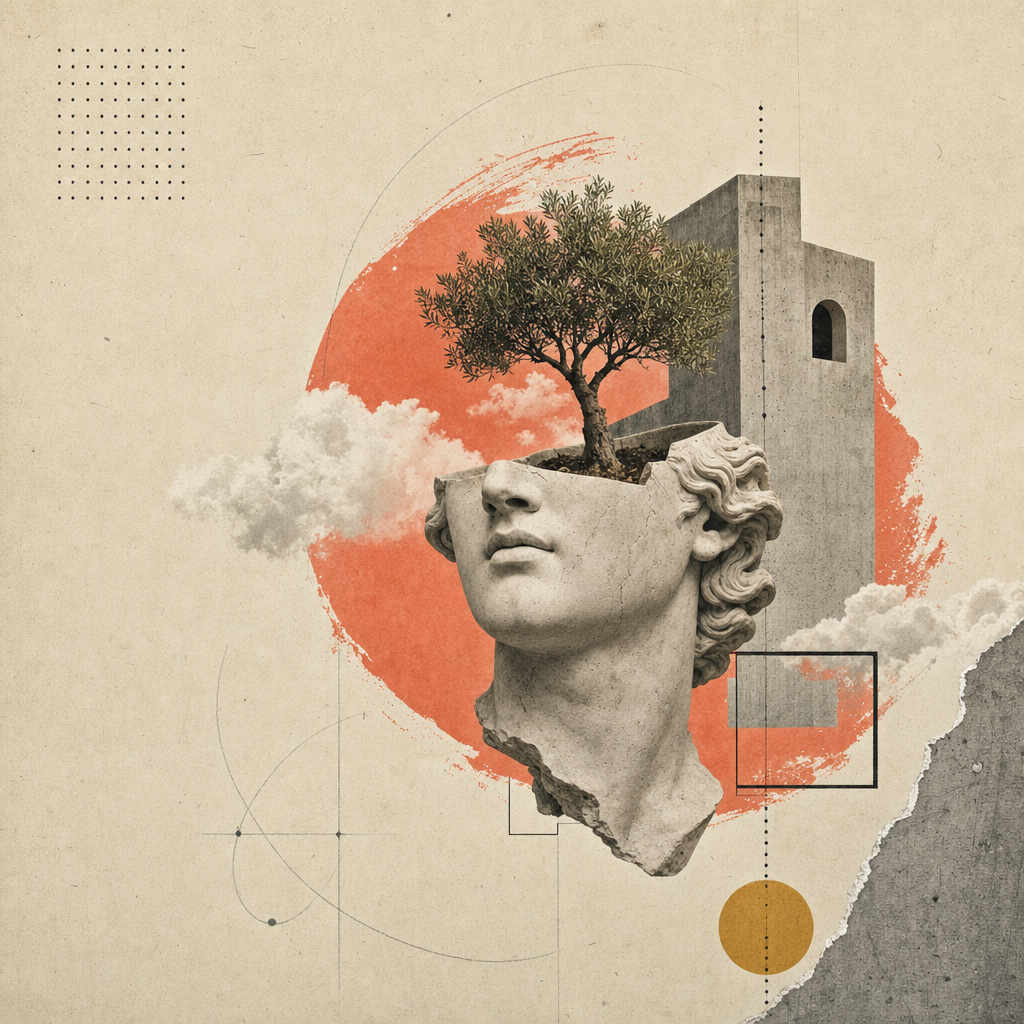
fal.ai의 openai/gpt-image-2 동기 엔드포인트를 슬롯별로 호출합니다. 프롬프트 구성: 스타일 앵커 (종이 콜라주 에디토리얼 시스템) + 브랜드 변수 (inputs.json에서 추출한 이름/내비게이션/헤드라인/이탤릭 강조) + 슬롯별 구성 (예: 잘린 석고 머리 + 아치를 뚫고 자라는 나무). 대상 파일이 이미 존재하는 슬롯은 건너뜁니다. --force를 전달하면 다시 렌더링합니다.
FAL_KEY 없이 실행하면 스크립트는 프롬프트를 출력하므로, 운영자는 /gpt-image-fal 슬래시 커맨드 스킬을 통해 수동으로 라우팅할 수 있습니다.
bring-your-own
assets/image-manifest.json 파일 이름과 일치하는 16개의 PNG를 inputs.imagery.assets_path에 배치하십시오. 완료입니다.
3. 아티팩트 컴포즈
npx tsx scripts/compose.ts <inputs.json> <out>/index.html
컴포저는 inputs.json과 ../styles.css를 읽은 후 하나의 독립 실행형 HTML 파일을 작성합니다. 페이지에는 다음이 포함됩니다:
- 전체 Atelier Zero 스타일시트 (인라인).
- 지연된 스크롤 모션을 위한
data-reveal속성이 있는 모든 섹션 마크업. - 인라인 IntersectionObserver 스크립트 (
apps/landing-page/app/_components/reveal-root.tsx미러). - 인라인 Headroom 내비게이션 스크립트 (
header.tsx미러). - 인라인 GitHub 별 개수 페처 (
brand.primary_url에서 자동 감지).
4. (선택 사항) 배포 가능한 Astro 사이트 미러링
배포 가능한 프로덕션 출력을 위해 apps/landing-page/ 패키지를 포크하십시오: 작업 공간에 복사하고, app/page.tsx를 inputs.json의 콘텐츠와 정렬한 후, <out>/assets/*.png를 app/image-assets.ts / R2 URL이 예상하는 경로로 복사하십시오. pnpm --filter @open-design/landing-page build로 빌드하면 모든 CDN에 배포할 수 있는 정적 out/ 내보내기가 생성됩니다.
향후 업데이트에서는
inputs.json에서 전체apps/landing-page/트리를 한 번에 내보내는 컴포저를 번들할 예정입니다. 그때까지는 포크 후 편집이 지원되는 경로입니다.
전달 전 자가 점검
에이전트는 반드시 다음을 확인해야 합니다:
-
<out>/index.html이 브라우저에서 콘솔 오류 없이 열립니다. - 모든 16개 이미지 슬롯이 로드됩니다 (DevTools 네트워크 탭에 404 없음).
- 헤드라인 이탤릭 강조 범위가 Playfair로 렌더링됩니다 (sans 아님).
- 모든
displayh1/h2 끝에 산호색 종점이 나타납니다. - 위에서 아래로 스크롤; 모든 섹션이 한 번씩 애니메이션됩니다.
- 880px 및 560px로 크기 조정; 가로 스크롤 없음, 겹침 없음.
-
prefers-reduced-motion: reduce(DevTools → Rendering)에서 전환이 깔끔하게 비활성화됩니다. - Lighthouse: 대비 AA, font-display swap, 히어로에서 레이아웃 이동 없음 (CLS < 0.05).
이 스킬의 파일 구조
skills/open-design-landing/
├── SKILL.md                 # 이 계약서
├── README.md                # 빠른 시작
├── schema.ts                # 타입화된 입력 (단일 진실 공급원)
├── styles.css               # Atelier Zero 스타일시트 (단일 진실 공급원)
├── inputs.example.json      # 작업 예제 (Open Design)
├── example.html             # 표준 렌더링 (inputs.example.json에서 재생성됨)
├── scripts/
│   ├── compose.ts           # inputs.json + styles.css → index.html
│   ├── imagegen.ts          # gpt-image-2 래퍼 (fal.ai)
│   └── placeholder.ts       # SVG 종이 질감 프레임
└── assets/
    ├── *.png                # 16개 콜라주 시트 (Open Design 인스턴스)
    ├── image-manifest.json  # 슬롯 → 파일/크기/프롬프트 매핑
    └── imagegen-prompts.md  # 사람이 읽을 수 있는 프롬프트 팩
경계
- 새로운 색상이나 서체를 임의로 만들지 마십시오. 토큰은
design-systems/atelier-zero/DESIGN.md에 있습니다. 여기에 새 램프를 추가하기 전에 디자인 시스템을 확장하십시오. - 생성된 마크업에서
data-reveal속성을 제거하지 마십시오. 이 속성이 없으면 페이지가 정적으로 변하고 생동감이 없어집니다. - 컴포즈된 HTML을 자체 스타일시트 순서를 삽입하는 프레임워크로 감싸지 마십시오. Atelier Zero는 종이 질감과 사이드 레일의 z-index를 위해 스타일시트 순서 캐스케이드에 의존합니다.
- Astro 랜딩 페이지 포크를 위해 별도의 스타일시트 파일을 추가하지 마십시오.
styles.css를 그대로app/globals.css에 복사하여 시각적 일관성을 유지하십시오.
함께 보기
design-systems/atelier-zero/DESIGN.md— 토큰 명세.apps/landing-page/— 배포 가능한 Astro 정적 대응.skills/open-design-landing-deck/— 이 디자인 시스템을 재사용하는 슬라이드 스킬.