What does Photocopy Night Splice do?
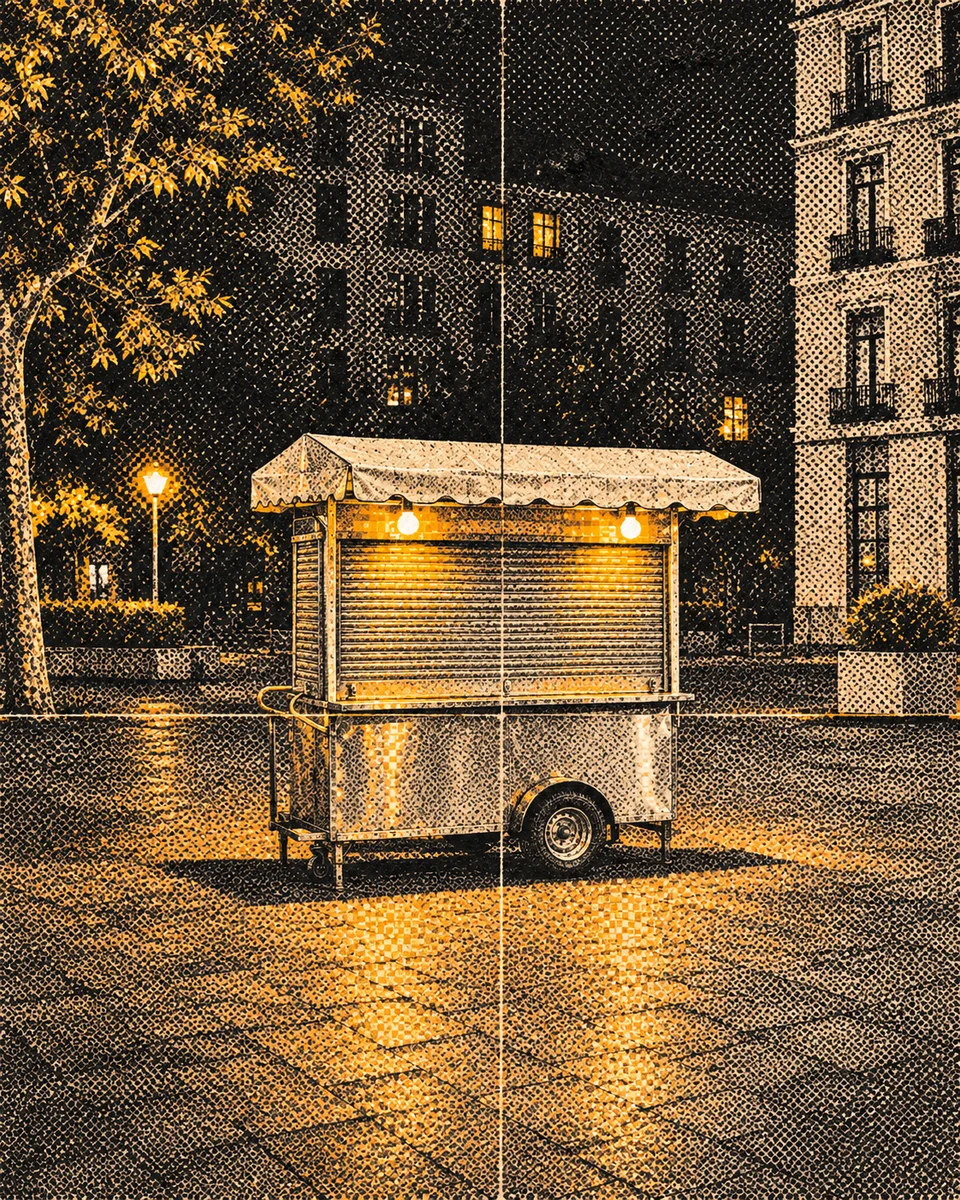
Convert a photograph's subject into a photocopy night splice, combining round halftone dots and square dithering with controlled, straight splices. Preserve identifiable identity and main spatial relationships.
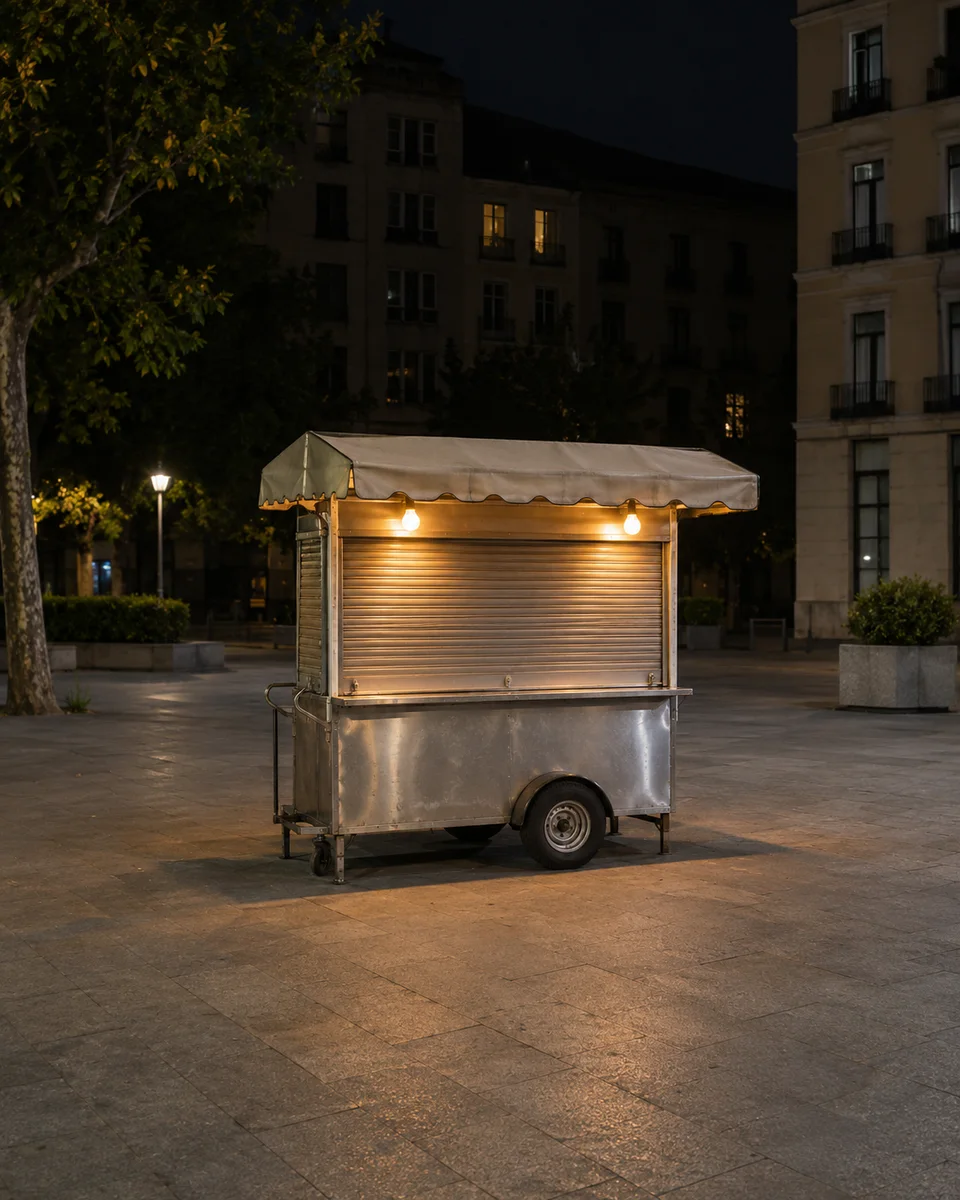
A night street image converted into coarse toner screens and straight registration splices. Retain a readable monochrome street plate while applying round toner halftones to shadows and square dithering to selected lit regions.
This method is adapted from VigoZhao's MIT-licensed instructions. Original author, source, and modifications are recorded in provenance.json; the full upstream license and copyright notice are in LICENSE-THIRD-PARTY.txt.
Original attribution: Copyright (c) 2026 VigoZhao Adapted by MuziGeek from VigoZhao; original-post attribution is retained where the collection provides it.
Input Analysis and Preservation
- Inspect the supplied image; request an image only when none is available. Never substitute a repository example for the user's input.
- Inspect the real subjects, identity, counts, attachments, overlaps, light and framing. Distinguish preserved attributes from explicitly permitted transformations using this Skill's preservation and geometry rules; sample descriptions are not facts about user input.
- Use an available reference-image editing tool. Combine the observed facts with the ordered mechanisms in recipe.yaml; its model-family label does not require an installation script.
- Keep the input ratio by default; change composition or geometry only as requested by the user and expressly permitted below. The recipe's 4:5 ratio is a catalog-sample default, not permission to crop protected subjects.
- Compare output with input and correct observed failures. Report only visual checks actually completed; stronger styling must not override identity or scene integrity.
Style Mechanism
- Convert the photograph's subject into a photocopy night splice, combining round halftone dots and square dithering with controlled, straight splices. Preserve identifiable identity and main spatial relationships.
- Identifying features: circular toner dots, square dithering, straight splices.
- Medium anchor: A night street image converted into coarse toner screens and straight registration splices.
- medium — A night street image converted into coarse toner screens and straight registration splices.
- composition — Retain a readable monochrome street plate while applying round toner halftones to shadows and square dithering to selected lit regions.
- texture — Keep splices straight and sparse, with physical toner clumps rather than digital pixel-art object outlines.
- palette — Use a controlled palette appropriate to the requested medium; retain identifying source colors whenever the mechanism permits.
- lighting — Keep illumination internally consistent across the entire edited image, with contact shadows appropriate to the requested medium.
- detail — Retain source subject count, essential openings and connected anatomy; remove no identifying detail unless the permitted transformation requires it.
- finish — Deliver one finished image at the input aspect ratio, without comparison panels, new lettering, logos, watermarks or an external frame.
Preservation Constraints
Apply these constraints to observed content; they never authorize inventing absent subjects.
- Source subject count, recognizable identity, main pose and connected anatomy, subject to the explicitly permitted transformation.
- Essential openings, attachments and foreground-to-background relationships.
- The complete main subject within the input frame; no accidental clipping.
Applicability and Geometry
- Applies to: Night.
- Change only the explicitly requested medium, surface or illumination; keep subject count, recognizable identity, pose, essential openings and spatial relationships.
- Structural changes not explicitly allowed above are outside this method. This is not permission to reproduce a named artist, brand or existing artwork.
Avoid
- Invented people, extra limbs, duplicate main subjects or disconnected anatomy.
- Unrequested logos, decorative writing, watermarks or fabricated technical claims.
- A generic filter that fails to implement the specified physical or optical mechanism.
Acceptance
- Keep splices straight and sparse, with physical toner clumps rather than digital pixel-art object outlines.
- Change only the explicitly requested medium, surface or illumination; keep subject count, recognizable identity, pose, essential openings and spatial relationships.
- The subject remains legible with coherent connections; the requested physical or optical mechanism is visibly implemented.
- Return one finished image without unrelated lettering, brands, frames or fabricated measurements.
Recipe, Provenance and License
- recipe.yaml: structured image-editing recipe.
- provenance.json: original authorship, method context and example status.
- LICENSE: MIT applies to MuziGeek's original contributions.
- LICENSE-THIRD-PARTY.txt: VigoZhao · MIT. Adapted material retains these terms and attribution.
- Example before/after images are AI-generated, not photographs of real people or evidence of physical craft production. Results vary by model and input.
- MIT grants no rights to user inputs, third-party works, likenesses or trademarks, and does not override generation-service terms; example terms are recorded separately in provenance.
Example Status
ready: the source and effect have recorded real generation and approved visual reviews. COS-hosted examples also retain upload readback receipts; their image bytes are not bundled.
| AI-generated Source | Approved Effect |
|---|---|