Communitygithub.com

open-design-landing

使用此技能建立世界級的單頁式編輯型登陸頁面,採用 Atelier Zero 視覺語言(Monocle / Apartamento / Études 編輯拼貼)——與 Open Design 自身行銷頁面相同的美學。代理會根據品牌簡報填寫型別化的 `inputs.json`,可選用 gpt-image-2 生成 16 張拼貼素材,再執行純函數合成器產出獨立的 HTML 檔案;另外可鏡像至 `apps/landing-page/` 中的 Astro 行銷網站。滾輪觸發動畫與 Headroom 風格固定導航欄會自動整合。

open-design-landing 是什麼?

這個技能專為建立高品質的單頁編輯型登陸頁面而設計,採用 Atelier Zero 設計系統——具有暖色紙張背景、Inter Tight 與 Playfair Display 字型組合、斜體襯線強調、虛點分隔線、珊瑚色終止圓點、滾輪觸發動畫以及 16 個超現實拼貼板塊。它是 Open Design 行銷頁面的標準配方,完全參數化:代理會從使用者簡報中填寫一個型別化的 `inputs.json`,然後合成器將其與規範的 `styles.css` 結合,產出一個可部署的獨立 HTML 檔案。此技能支援三種圖片策略:佔位符(免費、瞬間完成)、透過 fal.ai 或 Azure 的 gpt-image-2 生成(約 $0.40、約 6 分鐘),以及自帶圖片。輸出可以是獨立 HTML、Astro 應用程式或兩者兼備。它通過 IntersectionObserver 實現滾輪動畫,通過 Headroom 實現固定導航,並自動從品牌 URL 獲取 GitHub 星數。該技能包含八個引導式提問組,以優化方式收集品牌資訊,避免一次傾倒所有模式。

相容平台✓Claude Code✓Codex CLI~Cursor
npx skills add https://github.com/anubhavg-icpl/vibe/tree/HEAD/skills/open-design-landing

在你喜歡的 AI 中提問

開啟一個已預先載入此 Agent Skill 的新對話。

預覽

來自技能 README

open-design-landing preview

說明文件

open-design-landing 是做什麼的?

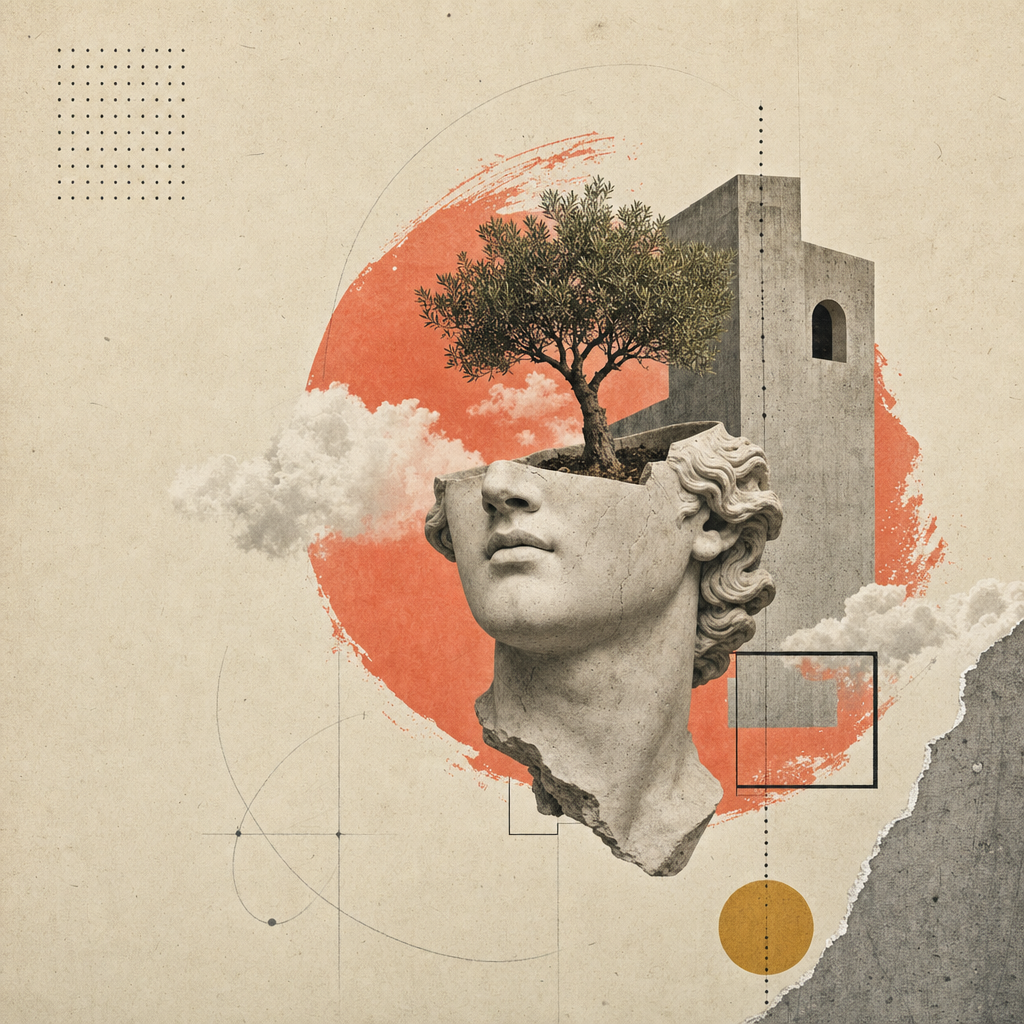
建立一個單頁編輯型登陸網站(或投影片組——請參見同系列技能 open-design-landing-deck),採用 Atelier Zero 設計系統:暖色紙張背景、Inter Tight + Playfair Display 字型、斜體襯線強調、虛點分隔線、珊瑚色終止圓點、滾輪觸發動畫,以及 16 張超現實拼貼板塊。

這是 Open Design 行銷頁面的標準配方——範例輸出正是您在 open-design 上看到的頁面。

本技能完全參數化。代理會根據使用者的簡報填寫一個型別化的 inputs.json;合成器將該 JSON 與規範的 styles.css 結合,產出可部署的成品。

inputs.json + styles.css                       16 張圖片插槽
        │                                            │
        └──────────► scripts/compose.ts ◄────────────┘
                            │
                            ▼
              <out>/index.html  (獨立檔案)
              <out>/assets/      (PNG 或 SVG)

您將獲得

一個包含所有以下功能的單一 HTML 檔案:

  • 編輯型頂欄(卷號 / 期號 / 語言條),Headroom 風格的固定導航欄,附有即時 GitHub 星數顯示。
  • 8 個以羅馬數字編號的章節,帶有紙張紋理背景:主視覺(含 3 個統計環 + 4 步索引)、關於、能力(4 張卡片)、實驗室(5 張卡片 + 篩選膠囊 + 進度條)、方法(4 個步驟附縮圖)、精選作品(深色板塊 + 2 張傾斜卡片)、推薦(引用 + 5 個合作夥伴標誌)、行動呼籲(緞帶 + 電子郵件膠囊)。
  • 頁尾包含 4 個連結欄 + 一個巨大的斜體襯線關鍵字。
  • 每個章節的滾輪觸發動畫(IntersectionObserver,尊重 prefers-reduced-motion)。
  • 在 1280 / 1080 / 880 / 560 中斷點下完全響應式。

工作流程合約

依序執行以下四個步驟。代理應在進入下一步前完成每個步驟,並偏好向使用者提出重點問題,而非自行編造文案。

1. 收集品牌輸入

使用 AskQuestion(或您介面中的等效功能)分批收集品牌簡報;不要將整個 schema.ts 傾倒給使用者。將他們的答案映射到符合型別形狀的 inputs.json 中。

八個問題組,依序如下:

組別Schema 欄位最少答案數備註
1brand.{name,mark,tagline,description,location}5Mark = 單一字元(Ø, ▲, ★…)
2brand.{license,version,year,primary_url,contact_email}4URL 為必填;授權預設 Apache-2.0
3nav[] (最多 5 個)3可選計數徽章
4hero.{label,headline,lead,primary,secondary,stats}全部Headline 為 MixedText(sans+em+dot)
5about + capabilities.cards[4]全部4 張卡片 × {num,tag,title,body}
6labs.cards[5] + method.steps[4]全部兩個網格均為固定數量
7work.cards[2] + testimonial全部5 個合作夥伴標誌為內聯 SVG 路徑資料
8cta + footer.{columns[4],mega}全部Mega kicker 為 MixedText,如同標題

開啟 inputs.example.json 查看完整的工作範例(即 Open Design 本身)。

2. 決定圖片策略

策略何時選擇成本 / 延遲
placeholder第一次通過。示範。內部簡報。尚無圖片預算。$0, <1s
generate最終交付。品牌想要原創拼貼。~$0.40, ~6 分鐘
bring-your-own使用者已備好美術指導 PNG。將其放置在 assets_path。$0, 0s

相應地設定 inputs.imagery.strategy。

placeholder — 框架模式

npx tsx scripts/placeholder.ts <out>/assets/

將 16 個 .svg 檔案(為相容性同時建立 .png 別名)寫入 <out>/assets/。每個佔位符顯示插槽 ID、比例、像素尺寸以及來自 image-manifest.json 的提示。合成器的 <img src='./assets/hero.png'> 等可以正常運作。

generate — gpt-image-2 模式

FAL_KEY=... npx tsx scripts/imagegen.ts <inputs.json> --out=<out>/assets/

對每個插槽呼叫 fal.ai 的 openai/gpt-image-2 同步端點。提示組成方式:風格錨點(紙張拼貼編輯系統) + 品牌變數(從 inputs.json 提取的名稱 / 導航 / 標題 / 斜體強調) + 每個插槽的構圖(例如剪下的石膏頭 + 穿過拱門生長的樹木)。若目標檔案已存在則跳過該插槽;傳遞 --force 參數可重新渲染。

如果沒有 FAL_KEY,腳本會列印提示,操作者可以手動通過 /gpt-image-fal 斜線命令技能路由。

bring-your-own

將 16 個 PNG 檔案(檔名與 assets/image-manifest.json 匹配)放置在 inputs.imagery.assets_path。完成。

3. 合成成品

npx tsx scripts/compose.ts <inputs.json> <out>/index.html

合成器讀取 inputs.json 和 ../styles.css,然後寫入一個獨立的 HTML 檔案。頁面包含:

  • 完整的 Atelier Zero 樣式表,內聯。
  • 所有章節的標記,帶有 data-reveal 屬性以實現交錯滾輪動畫。
  • 內聯 IntersectionObserver 腳本(鏡像 apps/landing-page/app/_components/reveal-root.tsx)。
  • 內聯 Headroom 導航腳本(鏡像 header.tsx)。
  • 內聯 GitHub 星數獲取器(從 brand.primary_url 自動偵測)。

4. (可選)鏡像可部署的 Astro 網站

對於可部署的生產輸出,複製 apps/landing-page/ 套件:將其複製到您的工作空間,將 app/page.tsx 與您 inputs.json 中的內容對齊,並將您的 <out>/assets/*.png 複製到 app/image-assets.ts / R2 URL 預期的路徑。使用 pnpm --filter @open-design/landing-page build 進行構建,產出可供任何 CDN 使用的靜態 out/ 匯出。

未來的迭代可能會包含一個合成器,能夠透過一條命令從 inputs.json 生成完整的 apps/landing-page/ 目錄樹。在此之前,複製並編輯是支援的方法。


交付前自我檢查

在標記完成之前,代理必須驗證:

  • <out>/index.html 在瀏覽器中開啟後無控制台錯誤。
  • 所有 16 個圖片插槽成功載入(DevTools 網路標籤中無 404)。
  • 標題的斜體強調部分以 Playfair 字型(非 sans)渲染。
  • 每個 display h1/h2 結尾處顯示珊瑚色終止圓點。
  • 從頂部滾動到底部;每個章節僅動畫一次。
  • 調整視窗至 880px 和 560px;無橫向滾動,無重疊。
  • prefers-reduced-motion: reduce(DevTools → Rendering)能乾淨地關閉過渡效果。
  • Lighthouse:對比度 AA,font-display swap,主視覺部分無版面位移(CLS < 0.05)。

本技能包含的檔案

skills/open-design-landing/
├── SKILL.md                 # 本合約
├── README.md                # 快速入門
├── schema.ts                # 型別化輸入(單一事實來源)
├── styles.css               # Atelier Zero 樣式表(單一事實來源)
├── inputs.example.json      # Open Design 作為工作範例
├── example.html             # 標準渲染(從 inputs.example.json 重新生成)
├── scripts/
│   ├── compose.ts           # inputs.json + styles.css → index.html
│   ├── imagegen.ts          # gpt-image-2 包裝器 (fal.ai)
│   └── placeholder.ts       # SVG 紙張紋理框架
└── assets/
    ├── *.png                # 16 張拼貼板塊(Open Design 實例)
    ├── image-manifest.json  # 插槽 → 檔案/尺寸/提示映射
    └── imagegen-prompts.md  # 人類可讀的提示包

邊界

  • 不要發明新的顏色或字型。代碼存在於 design-systems/atelier-zero/DESIGN.md;在添加新的漸層之前,請先擴展設計系統。
  • 不要從生成的標記中刪除 data-reveal 屬性。沒有它們,頁面會變得靜態且感覺死板。
  • 不要將合成的 HTML 包裝在會注入自身樣式表順序的框架中——Atelier Zero 依賴樣式表順序級聯來實現紙張紋理和側欄的 z-index。
  • 不要為 Astro 登陸頁面複製版添加單獨的樣式表檔案;直接將 styles.css 複製到 app/globals.css,以保持視覺一致性。

另請參閱

Individual skills in this repo

This repo contains 20 individual skills — each has its own dedicated page.

anubhavg-icpl/vibe

|. Use when you need help with 8 bit orbit video template. Hyperframes-based video template for retro pixel deck motion design. Use when users want a high-fidelity, multi-scene HTML-to-video composition with advanced transitions, interactive preview controls, and ready-to-render default style.

anubhavg-icpl/vibe

Reference DESIGN.md for luxury automotive editorial that needs to feel engineered. White slabs, full-bleed performance photography, BMW corporate blue rising into a deeper blue at active states, restrained Helvetica-grade typography. Use when building UI components, applying design tokens, or implementing visual styles for cinematic bmw.

anubhavg-icpl/vibe

Reference DESIGN.md for enterprise-AI brands that need to feel premium, dark, and quietly futuristic. Ink canvas, Unica grotesque type, saturated coral-to-violet brand gradient deployed as backdrop and accent rule, full-pill buttons, gen. Use when building UI components, applying design tokens, or implementing visual styles for cinematic cohere.

anubhavg-icpl/vibe

Reference DESIGN.md for performance brands that need to feel theatrical. High-contrast black-and-white frames cut by Rosso Corsa red, sharp 0-radius components, FerrariSans across the entire page, photography that treats the car as sculp. Use when building UI components, applying design tokens, or implementing visual styles for cinematic ferrari.

anubhavg-icpl/vibe

Reference DESIGN.md for hyper-luxury that needs to feel forged. True-black canvas, oversized LamboType nameplates at 120px+, hexagonal angle motifs, single warm-gold accent for primary actions, photography lit like a vault. Use when building UI components, applying design tokens, or implementing visual styles for cinematic lamborghini.

anubhavg-icpl/vibe

Reference DESIGN.md for AI-lab cinematic: pure black canvas, neon-lime accent on charcoal chrome, geometric DM Sans / Outfit type, pill-shaped CTAs. Use when building UI components, applying design tokens, or implementing visual styles for cinematic minimax.

anubhavg-icpl/vibe

Reference DESIGN.md for GPU-vendor cinematic: chrome-black canvas, signature green action, video-led hero, hard-edged grotesque headlines. Use when building UI components, applying design tokens, or implementing visual styles for cinematic nvidia.

anubhavg-icpl/vibe

Skill for discovering and researching autonomous AI agents, tools, and ecosystems using the AgentFolio directory. Use when you need help with agentfolio.

anubhavg-icpl/vibe

Build content-focused websites with Astro — zero JS by default, islands architecture, multi-framework components, and Markdown/MDX support. Use when you need help with astro.

anubhavg-icpl/vibe

Expert in building portfolios that actually land jobs and clients -. Use when you need help with interactive portfolio. not just showing work, but creating memorable experiences. Covers developer portfolios, designer portfolios, creative portfolios, and portfolios that convert visitors into opportunities.

anubhavg-icpl/vibe

Generates high-converting Next.js/React landing pages with Tailwind CSS. Uses PAS, AIDA, and BAB frameworks for optimized copy/components (Heroes, Features, Pricing). Focuses on Core Web Vitals/SEO. Use when you need help with landing page generator.

anubhavg-icpl/vibe

Generate walkthrough videos from Stitch projects using Remotion with smooth transitions, zooming, and text overlays. Use when you need help with remotion.

anubhavg-icpl/vibe

Writes complete, structured landing pages optimized for SEO ranking, AEO citation, and visitor conversion. Activate when the user wants to write or generate a landing page for a product, service, or offer.

anubhavg-icpl/vibe

Project scaffolding - generate boilerplate for common project types with best-practice defaults. Use for: scaffold, boilerplate, template, new project, init, create project, starter, setup, project structure, directory structure, monorepo, microservice, API template, web app template, CLI tool template, library template.

anubhavg-icpl/vibe

Automate Klipfolio tasks via Rube MCP (Composio). Always search tools first for current schemas. Use when you need help with klipfolio automation.

anubhavg-icpl/vibe

>. Use when you need help with kami landing. Produce a print-grade single-page kami (紙 / 纸) document — warm parchment canvas, ink-blue accent, serif at one weight, no italic, no cool grays. The output reads like a professional white paper or studio one-pager, not an app UI. Multilingual by design (EN · zh-CN · ja). One self-contained HTML file, zero dependencies.

anubhavg-icpl/vibe

>. Use when you need help with open design landing deck. Produce a single-file slide deck in the Atelier Zero visual language (warm-paper background, italic-serif emphasis spans, coral terminating dots, surreal collage plates) — Open Design's brand deck recipe. The deck uses **horizontal magazine-style swipe pagination** (←/→, wheel, swipe), a per-slide chrome strip with brand mark and slide counter, an ESC overview grid, a coral progress bar, and inherits the canonical stylesheet + 16-slot image library from the sister `open-design-landing` skill.

anubhavg-icpl/vibe

>. Use when building UI with epic design language and visual style. Build immersive, cinematic 2.5D interactive websites using scroll storytelling, parallax depth, text animations, and premium scroll effects — no WebGL required. Use this skill for any web design task: landing pages, product sites, hero sections, scroll animations, parallax, sticky sections, section overlaps, floating products between sections, clip-path reveals, text that flies in from sides, words that light up on scroll, curtain drops, iris opens, card stacks, bleed typography, and any site that should feel cinematic or premium. Trigger on phrases like "make it feel alive", "Apple-style animation", "sections that overlap", "product rises between sections", "immersive", "scrollytelling", or any scroll-driven visual effect. Covers 45+ techniques across 8 categories. Always inspects, judges, and plans assets before coding. Use aggressively for ANY web design task.

anubhavg-icpl/vibe

Generates high-converting landing pages as complete Next.js/React (TSX) components with Tailwind CSS. Creates hero sections, feature grids, pricing tables, FAQ accordions, testimonial blocks, and CTA sections using proven copy frameworks (PAS, AIDA, BAB). Outputs SEO meta tags, structured data, and performance-optimised code targeting Core Web Vitals (LCP < 1s, CLS < 0.1). Use when the user asks to create a landing page, marketing page, homepage, single-page site, lead capture page, campaign page, promo page, or conversion-optimised web page — or when they want to A/B test landing page variants or replace a static page with one designed to convert.

anubhavg-icpl/vibe

Generates a premium single-page HTML landing page with 3D CSS animations, GSAP scroll effects, and mouse-parallax depth. Forcing intake (product + elevator pitch, audience register, brand overrides, tone) locks down positioning before any copy or markup is written, so the page reflects the actual product rather than generic boilerplate. Use whenever the user says 'landing for X', 'create a landing page', 'build a landing page', 'make a landing page for X', 'I need a web page for Y', or provides product/service details and wants a polished website. Also triggers on 'promotional page', 'product page', 'one-pager', 'web presence', 'sales page'. Outputs a single self-contained HTML file (Claude Code) or HTML artifact (Claude.ai). Supports configurable brand colors via CSS custom property overrides.

相關技能