Communitygithub.com

anubhavg-icpl/vibe

브랜드 브리핑을 기반으로 Atelier Zero 시각 언어(Monocle / Apartamento / Études 에디토리얼 콜라주)를 사용한 세계적인 수준의 단일 페이지 에디토리얼 랜딩 사이트를 생성합니다. 에이전트가 `inputs.json`을 채우고, gpt-image-2를 통해 16개의 콜라주 에셋을 생성하며, 자체 포함된 HTML 파일을 내보내는 순수 함수 컴포저를 실행합니다. 별도 경로로 `apps/landing-page/`에 Astro 마케팅 사이트를 미러링할 수 있습니다. 스크롤 리빌 모션과 Headroom 스타일 고정 내비게이션이 자동으로 적용됩니다.

vibe란 무엇인가요?

이 스킬은 Atelier Zero 디자인 시스템을 사용하여 단일 페이지 에디토리얼 랜딩 사이트를 자동으로 구축하는 AI 에이전트 지침입니다. 사용자의 브랜드 브리핑을 구조화된 `inputs.json` 입력으로 변환하고, 필요에 따라 16개의 콜라주 이미지를 생성하며, 모든 CSS, 스크립트, 이미지가 인라인(또는 상대 경로)으로 포함된 완전한 HTML 파일을 생성합니다. 주요 플랫폼은 Claude Code, Cursor, Codex와 같은 파일 쓰기, HTTP 요청, Node.js 실행이 가능한 AI 에이전트입니다. 이 스킬은 이미지 전략(placeholder, generate, bring-your-own)과 출력 형식(standalone-html, nextjs-app, both)을 매개변수로 제공하여 다양한 워크플로우에 대응합니다. 작업 흐름은 브랜드 입력 수집, 이미지 전략 결정, HTML 컴포지션, 선택적 Astro 사이트 미러링의 4단계로 구성되며, 각 단계를 순차적으로 완료해야 합니다.

지원 대상✓Claude Code✓Codex CLI~Cursor
npx skills add https://github.com/anubhavg-icpl/vibe/tree/HEAD/skills/open-design-landing

즐겨 사용하는 AI에게 물어보기

이 에이전트 스킬이 미리 로드된 새 채팅을 엽니다.

미리보기

스킬 README에서

vibe preview

문서

open-design-landing

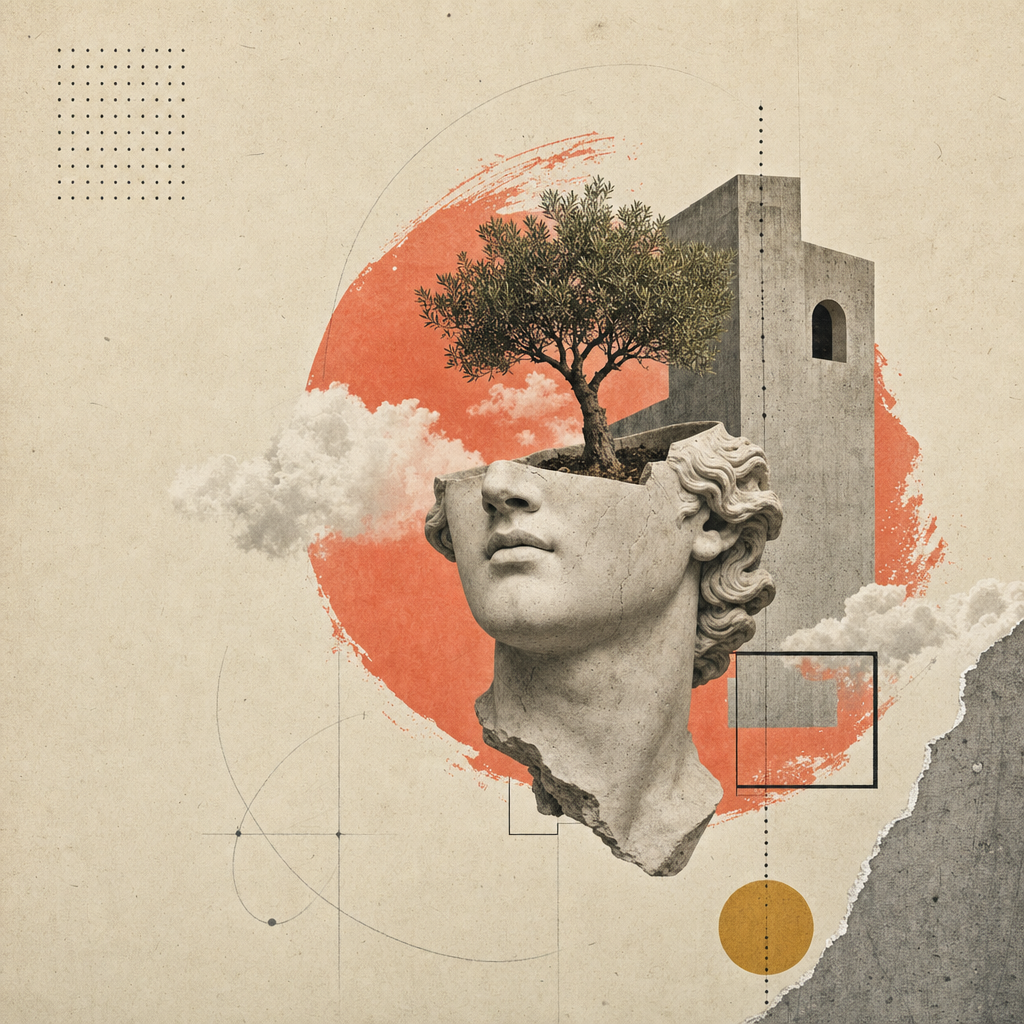
Atelier Zero 디자인 시스템을 사용하여 단일 페이지 에디토리얼 랜딩 사이트(또는 슬라이드 데크 — 형제 스킬 open-design-landing-deck 참조)를 빌드합니다: 따뜻한 종이 배경, Inter Tight + Playfair Display, 이탤릭 세리프 강조 스팬, 점선 헤어라인 규칙, 코랄 종료 점, 스크롤 리빌 모션, 그리고 16개의 초현실적 콜라주 패널.

이것은 Open Design 마케팅 페이지의 정식 레시피입니다 — 예제 출력물은 open-design에서 볼 수 있는 페이지 그 자체입니다.

이 스킬은 완전히 매개변수화되어 있습니다. 에이전트는 사용자의 브리핑에서 하나의 타입이 지정된 inputs.json을 채웁니다; 컴포저는 그 JSON + 정식 styles.css를 배포 가능한 아티팩트로 변환합니다.

inputs.json + styles.css                       16 image slots
        │                                            │
        └──────────► scripts/compose.ts ◄────────────┘
                            │
                            ▼
              <out>/index.html  (self-contained)
              <out>/assets/      (PNG or SVG)

얻을 수 있는 것

다음 모든 것을 포함하는 단일 HTML 파일:

  • 에디토리얼 탑바(볼륨 / 이슈 / 언어 스트립), Headroom 스타일 고정 내비게이션(실시간 GitHub 별 개수 포함).
  • 8개의 로마 숫자 섹션(종이 질감 배경): 히어로(3개의 통계 링 + 4단계 인덱스 포함), 소개, 역량(4개 카드), 연구소(5개 카드 + 필터 필 + 진행 바), 방법(4단계 + 썸네일), 선정된 작업(다크 슬래브 + 2개의 기울어진 카드), 추천사(인용문 + 5개 파트너 글리프), CTA(리본 + 이메일 필).
  • 푸터(4개 링크 열 + 큰 이탤릭 세리프 킥커 단어).
  • 모든 섹션에 대한 스크롤 리빌 모션(IntersectionObserver, prefers-reduced-motion 준수).
  • 1280 / 1080 / 880 / 560 중단점에서 완전 반응형.

워크플로우 계약

다음 네 단계를 순서대로 실행합니다. 에이전트는 다음 단계로 넘어가기 전에 각 단계를 완료해야 하며, 카피를 만들어내기보다는 사용자에게 집중된 질문을 하는 것을 선호해야 합니다.

1. 브랜드 입력 수집

AskQuestion(또는 UI의 이에 상응하는 기능)을 사용하여 브랜드 브리핑을 청크 단위로 수집합니다; 사용자에게 schema.ts 전체를 덤프하지 마십시오. 그들의 답변을 타입이 지정된 형태에 맞춰 inputs.json에 매핑합니다.

여덟 가지 질문 그룹 (순서대로):

그룹스키마 필드최소 답변참고
1brand.{name,mark,tagline,description,location}5Mark = 단일 글리프 (Ø, ▲, ★…)
2brand.{license,version,year,primary_url,contact_email}4URL은 필수; license 기본값 Apache-2.0
3nav[] (최대 5개)3선택적 카운트 배지
4hero.{label,headline,lead,primary,secondary,stats}모두Headline은 MixedText (sans+em+dot)
5about + capabilities.cards[4]모두4개 카드 × {num,tag,title,body}
6labs.cards[5] + method.steps[4]모두두 그리드 모두 고정 개수
7work.cards[2] + testimonial모두5개 파트너 글리프는 인라인 SVG 경로 데이터
8cta + footer.{columns[4],mega}모두Mega kicker는 헤드라인과 같은 MixedText

완전한 작업 예제(Open Design 자체)를 보려면 inputs.example.json을 여십시오.

2. 이미지 전략 결정

전략선택 시점비용 / 지연 시간
placeholder첫 번째 패스. 데모. 내부 슬라이드. 아직 이미지 예산 없음.$0, <1초
generate최종 전달. 브랜드가 독창적인 콜라주를 원함.~$0.40, ~6분
bring-your-own사용자가 아트 디렉션 PNG를 가지고 있음. assets_path에 배치.$0, 0초

그에 따라 inputs.imagery.strategy를 설정합니다.

placeholder — 프레임 모드

npx tsx scripts/placeholder.ts <out>/assets/

<out>/assets/에 16개의 .svg 파일(호환성을 위해 .png 별칭 포함)을 씁니다. 각 플레이스홀더는 슬롯 ID, 비율, 픽셀 치수 및 image-manifest.json의 프롬프트 힌트를 보여줍니다. 컴포저의 <img src='./assets/hero.png'> 등이 그냥 작동합니다.

generate — gpt-image-2 모드

FAL_KEY=... npx tsx scripts/imagegen.ts <inputs.json> --out=<out>/assets/

fal.ai의 openai/gpt-image-2 동기 엔드포인트를 슬롯별로 호출합니다. 프롬프트를 다음과 같이 구성합니다: 스타일 앵커(종이-콜라주 에디토리얼 시스템) + 브랜드 변수(inputs.json에서 가져온 이름 / 내비게이션 / 헤드라인 / 이탤릭 강조) + 슬롯별 구성(예: 잘린 석고 머리 + 아치를 통해 자라는 나무). 대상 파일이 이미 존재하는 슬롯은 건너뜁니다; --force를 전달하여 재렌더링합니다.

FAL_KEY 없이 스크립트는 프롬프트를 출력하므로 운영자가 수동으로 /gpt-image-fal 슬래시-커맨드 스킬을 통해 라우팅할 수 있습니다.

bring-your-own

assets/image-manifest.json 파일 이름과 일치하는 16개의 PNG를 inputs.imagery.assets_path에 배치합니다. 완료.

3. 아티팩트 컴포지션

npx tsx scripts/compose.ts <inputs.json> <out>/index.html

컴포저는 inputs.json과 ../styles.css를 읽고 하나의 자체 포함된 HTML 파일을 씁니다. 페이지에는 다음이 포함됩니다:

  • 인라인된 전체 Atelier Zero 스타일시트.
  • 지연된 스크롤 모션을 위한 data-reveal 속성이 있는 모든 섹션 마크업.
  • 인라인 IntersectionObserver 스크립트(apps/landing-page/app/_components/reveal-root.tsx 미러).
  • 인라인 Headroom 내비게이션 스크립트(header.tsx 미러).
  • 인라인 GitHub 별 개수 페처(brand.primary_url에서 자동 감지).

4. (선택 사항) 배포 가능한 Astro 사이트 미러링

배포 가능한 프로덕션 출력을 위해서는 apps/landing-page/ 패키지를 포크합니다: 작업 공간에 복사하고, app/page.tsx를 inputs.json의 콘텐츠와 일치시키고, <out>/assets/*.png를 app/image-assets.ts / R2 URL에서 예상하는 경로로 복사합니다. 정적 out/ 내보내기를 위해 pnpm --filter @open-design/landing-page build로 빌드하면 모든 CDN에 사용할 수 있습니다.

향후 반복에서는 inputs.json에서 전체 apps/landing-page/ 트리를 한 번에 내보내는 컴포저를 번들로 제공할 수 있습니다. 그때까지는 포크-후-편집이 지원되는 경로입니다.


전달 전 자체 점검

완료를 표시하기 전에 에이전트는 다음을 반드시 확인해야 합니다:

  • <out>/index.html이 브라우저에서 콘솔 오류 없이 열립니다.
  • 16개의 이미지 슬롯이 모두 로드됩니다(DevTools 네트워크 탭에서 404 없음).
  • 헤드라인 이탤릭 강조 스팬이 Playfair로 렌더링됩니다(sans 아님).
  • 모든 display h1/h2 끝에 코랄 종료 점이 나타납니다.
  • 위에서 아래로 스크롤; 모든 섹션이 한 번씩 애니메이션으로 나타납니다.
  • 880px 및 560px로 크기 조정; 가로 스크롤 없음, 겹침 없음.
  • prefers-reduced-motion: reduce(DevTools → Rendering)가 전환을 깔끔하게 비활성화합니다.
  • Lighthouse: 대비 AA, font-display swap, 히어로에 레이아웃 시프트 없음(CLS < 0.05).

이 스킬의 파일

skills/open-design-landing/
├── SKILL.md                 # 이 계약서
├── README.md                # 빠른 시작
├── schema.ts                # 타입이 지정된 입력 (단일 진실 공급원)
├── styles.css               # Atelier Zero 스타일시트 (단일 진실 공급원)
├── inputs.example.json      # 작업 예제로서의 Open Design
├── example.html             # 정식 렌더링 (inputs.example.json에서 재생성)
├── scripts/
│   ├── compose.ts           # inputs.json + styles.css → index.html
│   ├── imagegen.ts          # gpt-image-2 래퍼 (fal.ai)
│   └── placeholder.ts       # SVG 종이 질감 프레임
└── assets/
    ├── *.png                # 16개 콜라주 패널 (Open Design 인스턴스)
    ├── image-manifest.json  # 슬롯 → 파일/치수/프롬프트 매핑
    └── imagegen-prompts.md  # 사람이 읽을 수 있는 프롬프트 팩

경계

  • 새로운 색상이나 서체를 발명하지 마십시오. 토큰은 design-systems/atelier-zero/DESIGN.md에 있습니다; 여기에 새 램프를 추가하기 전에 디자인 시스템을 확장하십시오.
  • 생성된 마크업에서 data-reveal 속성을 제거하지 마십시오. 그것들이 없으면 페이지가 정적이고 생명력이 없어집니다.
  • 구성된 HTML을 자체 스타일시트 순서를 주입하는 프레임워크로 감싸지 마십시오 — Atelier Zero는 종이 질감과 사이드 레일의 z-인덱스를 위해 스타일시트 순서 캐스케이드에 의존합니다.
  • Astro 랜딩 페이지 포크를 위한 별도의 스타일시트 파일을 추가하지 마십시오; 시각적 일관성을 유지하기 위해 styles.css를 그대로 app/globals.css에 복사하십시오.

함께 보기

Individual skills in this repo

This repo contains 20 individual skills — each has its own dedicated page.

anubhavg-icpl/vibe

|. Use when you need help with 8 bit orbit video template. Hyperframes-based video template for retro pixel deck motion design. Use when users want a high-fidelity, multi-scene HTML-to-video composition with advanced transitions, interactive preview controls, and ready-to-render default style.

anubhavg-icpl/vibe

Reference DESIGN.md for luxury automotive editorial that needs to feel engineered. White slabs, full-bleed performance photography, BMW corporate blue rising into a deeper blue at active states, restrained Helvetica-grade typography. Use when building UI components, applying design tokens, or implementing visual styles for cinematic bmw.

anubhavg-icpl/vibe

Reference DESIGN.md for enterprise-AI brands that need to feel premium, dark, and quietly futuristic. Ink canvas, Unica grotesque type, saturated coral-to-violet brand gradient deployed as backdrop and accent rule, full-pill buttons, gen. Use when building UI components, applying design tokens, or implementing visual styles for cinematic cohere.

anubhavg-icpl/vibe

Reference DESIGN.md for performance brands that need to feel theatrical. High-contrast black-and-white frames cut by Rosso Corsa red, sharp 0-radius components, FerrariSans across the entire page, photography that treats the car as sculp. Use when building UI components, applying design tokens, or implementing visual styles for cinematic ferrari.

anubhavg-icpl/vibe

Reference DESIGN.md for hyper-luxury that needs to feel forged. True-black canvas, oversized LamboType nameplates at 120px+, hexagonal angle motifs, single warm-gold accent for primary actions, photography lit like a vault. Use when building UI components, applying design tokens, or implementing visual styles for cinematic lamborghini.

anubhavg-icpl/vibe

Reference DESIGN.md for AI-lab cinematic: pure black canvas, neon-lime accent on charcoal chrome, geometric DM Sans / Outfit type, pill-shaped CTAs. Use when building UI components, applying design tokens, or implementing visual styles for cinematic minimax.

anubhavg-icpl/vibe

Reference DESIGN.md for GPU-vendor cinematic: chrome-black canvas, signature green action, video-led hero, hard-edged grotesque headlines. Use when building UI components, applying design tokens, or implementing visual styles for cinematic nvidia.

anubhavg-icpl/vibe

Skill for discovering and researching autonomous AI agents, tools, and ecosystems using the AgentFolio directory. Use when you need help with agentfolio.

anubhavg-icpl/vibe

Build content-focused websites with Astro — zero JS by default, islands architecture, multi-framework components, and Markdown/MDX support. Use when you need help with astro.

anubhavg-icpl/vibe

Expert in building portfolios that actually land jobs and clients -. Use when you need help with interactive portfolio. not just showing work, but creating memorable experiences. Covers developer portfolios, designer portfolios, creative portfolios, and portfolios that convert visitors into opportunities.

anubhavg-icpl/vibe

Generates high-converting Next.js/React landing pages with Tailwind CSS. Uses PAS, AIDA, and BAB frameworks for optimized copy/components (Heroes, Features, Pricing). Focuses on Core Web Vitals/SEO. Use when you need help with landing page generator.

anubhavg-icpl/vibe

Generate walkthrough videos from Stitch projects using Remotion with smooth transitions, zooming, and text overlays. Use when you need help with remotion.

anubhavg-icpl/vibe

Writes complete, structured landing pages optimized for SEO ranking, AEO citation, and visitor conversion. Activate when the user wants to write or generate a landing page for a product, service, or offer.

anubhavg-icpl/vibe

Project scaffolding - generate boilerplate for common project types with best-practice defaults. Use for: scaffold, boilerplate, template, new project, init, create project, starter, setup, project structure, directory structure, monorepo, microservice, API template, web app template, CLI tool template, library template.

anubhavg-icpl/vibe

Automate Klipfolio tasks via Rube MCP (Composio). Always search tools first for current schemas. Use when you need help with klipfolio automation.

anubhavg-icpl/vibe

>. Use when you need help with kami landing. Produce a print-grade single-page kami (紙 / 纸) document — warm parchment canvas, ink-blue accent, serif at one weight, no italic, no cool grays. The output reads like a professional white paper or studio one-pager, not an app UI. Multilingual by design (EN · zh-CN · ja). One self-contained HTML file, zero dependencies.

anubhavg-icpl/vibe

>. Use when you need help with open design landing deck. Produce a single-file slide deck in the Atelier Zero visual language (warm-paper background, italic-serif emphasis spans, coral terminating dots, surreal collage plates) — Open Design's brand deck recipe. The deck uses **horizontal magazine-style swipe pagination** (←/→, wheel, swipe), a per-slide chrome strip with brand mark and slide counter, an ESC overview grid, a coral progress bar, and inherits the canonical stylesheet + 16-slot image library from the sister `open-design-landing` skill.

anubhavg-icpl/vibe

>. Use when building UI with epic design language and visual style. Build immersive, cinematic 2.5D interactive websites using scroll storytelling, parallax depth, text animations, and premium scroll effects — no WebGL required. Use this skill for any web design task: landing pages, product sites, hero sections, scroll animations, parallax, sticky sections, section overlaps, floating products between sections, clip-path reveals, text that flies in from sides, words that light up on scroll, curtain drops, iris opens, card stacks, bleed typography, and any site that should feel cinematic or premium. Trigger on phrases like "make it feel alive", "Apple-style animation", "sections that overlap", "product rises between sections", "immersive", "scrollytelling", or any scroll-driven visual effect. Covers 45+ techniques across 8 categories. Always inspects, judges, and plans assets before coding. Use aggressively for ANY web design task.

anubhavg-icpl/vibe

Generates high-converting landing pages as complete Next.js/React (TSX) components with Tailwind CSS. Creates hero sections, feature grids, pricing tables, FAQ accordions, testimonial blocks, and CTA sections using proven copy frameworks (PAS, AIDA, BAB). Outputs SEO meta tags, structured data, and performance-optimised code targeting Core Web Vitals (LCP < 1s, CLS < 0.1). Use when the user asks to create a landing page, marketing page, homepage, single-page site, lead capture page, campaign page, promo page, or conversion-optimised web page — or when they want to A/B test landing page variants or replace a static page with one designed to convert.

anubhavg-icpl/vibe

Generates a premium single-page HTML landing page with 3D CSS animations, GSAP scroll effects, and mouse-parallax depth. Forcing intake (product + elevator pitch, audience register, brand overrides, tone) locks down positioning before any copy or markup is written, so the page reflects the actual product rather than generic boilerplate. Use whenever the user says 'landing for X', 'create a landing page', 'build a landing page', 'make a landing page for X', 'I need a web page for Y', or provides product/service details and wants a polished website. Also triggers on 'promotional page', 'product page', 'one-pager', 'web presence', 'sales page'. Outputs a single self-contained HTML file (Claude Code) or HTML artifact (Claude.ai). Supports configurable brand colors via CSS custom property overrides.

관련 스킬