Communitygithub.com

open-design-landing

エディトリアル風のシングルページランディングサイトを、Atelier Zero ビジュアル言語(Monocle / Apartamento / Études スタイルのコラージュ)で生成します。エージェントがブランドブリーフから `inputs.json` を生成し、gpt-image-2 で16枚のコラージュアセットを生成、ピュア関数コンポーザーで自己完結型HTMLを出力します。

open-design-landing とは?

このスキルは、Open Design 自身のマーケティングサイトでも使用されている、高級エディトリアル風のシングルページランディングサイトを構築するためのAIエージェント向けスキルです。Atelier Zero デザインシステム(暖かみのある紙背景、Inter Tight + Playfair Display フォント、イタリックのセリフ強調、点線のヘアライン、コーラルカラーの終端ドット、スクロールリビールアニメーション、16枚のシュールなコラージュ画像)を完全に実装します。 エージェントは、ユーザーのブランドブリーフから型付けされた `inputs.json` を生成し、gpt-image-2 を使った画像生成(fal.ai または Azure)、プレースホルダーSVG生成、またはユーザー提供画像の16スロットへの配置を選択できます。次に、ピュア関数コンポーザー `scripts/compose.ts` を実行し、自己完結型のHTMLファイル(CSS・JavaScript・画像をインライン化)を出力します。オプションで、Astro ベースのマーケティングサイトを `apps/landing-page/` フォルダにミラーリングすることも可能です。 対応プラットフォーム:Claude Code、Cursor、Codex などのAIエージェント環境。動作条件:Node.js ランタイム、ファイル書き込み権限、必要に応じてHTTP fetch 権限。このスキルは完全にパラメータ化されており、出力フォーマット(HTML単体 / Next.js互換Astroツリー / 両方)や画像戦略(生成 / プレースホルダ / ユーザー提供)を柔軟に選択できます。

対応✓Claude Code✓Codex CLI~Cursor
npx skills add https://github.com/anubhavg-icpl/vibe/tree/HEAD/skills/open-design-landing

お気に入りのAIに質問する

このエージェントスキルを事前に読み込んだ状態で新しいチャットを開きます。

プレビュー

スキル README より

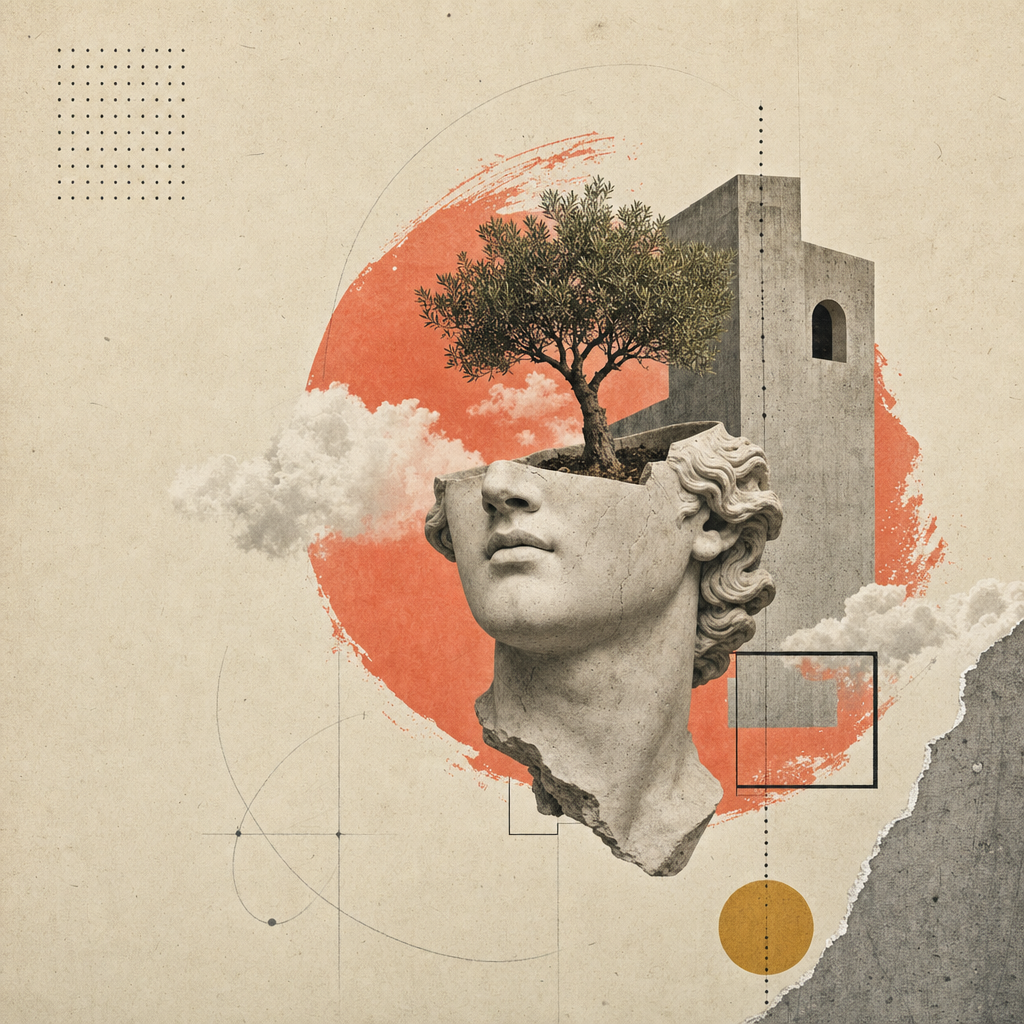
open-design-landing preview

ドキュメント

open-design-landing は何をしますか?

シングルページのエディトリアルランディングサイト(またはスライドデッキ — 姉妹スキル open-design-landing-deck を参照)を Atelier Zero デザインシステムで構築します。暖かみのある紙背景、Inter Tight + Playfair Display フォント、イタリックのセリフ強調、点線のヘアライン、コーラルカラーの終端ドット、スクロールリビールアニメーション、そして16枚のシュールなコラージュ画像を備えています。

これは Open Design マーケティングページの標準レシピです — 出力例はまさに open-design でご覧いただけるページそのものです。

このスキルは完全に パラメータ化 されています。エージェントはユーザーのブリーフから型付けされた inputs.json を生成し、コンポーザーがその JSON と標準の styles.css を組み合わせてデプロイ可能なアーティファクトを生成します。

inputs.json + styles.css                       16の画像スロット
        │                                            │
        └──────────► scripts/compose.ts ◄────────────┘
                            │
                            ▼
              <out>/index.html  (自己完結型)
              <out>/assets/      (PNG または SVG)

得られるもの

1つのHTMLファイルに すべて 含まれています:

  • エディトリアルなトップバー (Volume / Issue / 言語ストリップ)、Headroom スタイルのスティッキーナビゲーション(GitHub スター数をリアルタイム表示)。
  • 紙テクスチャ背景の8つのローマ数字セクション:ヒーロー(3つの統計リング + 4ステップインデックス)、アバウト、ケイパビリティ(4枚のカード)、ラボ(5枚のカード + フィルターピル + プログレスバー)、メソッド(4ステップ + サムネイル)、厳選された作品(ダークスラブ + 2枚の傾いたカード)、推薦の言葉(プルクォート + 5つのパートナーグリフ)、CTA(リボン + メールピル)。
  • 4つのリンクカラム + 大きなイタリックセリフのキッカーワードを含むフッター。
  • すべてのセクションにスクロールリビールアニメーション (IntersectionObserver、prefers-reduced-motion に対応)。
  • 1280 / 1080 / 880 / 560 のブレークポイントで完全レスポンシブ。

ワークフロー契約

以下の4つのステップを順番に実行します。エージェントは各ステップを 完了 してから次に進み、コピーをでっち上げるよりも、ユーザーに的を絞った質問をすることを優先します。

1. ブランド入力を収集する

AskQuestion(または同等のUI)を使用して、ブランドブリーフを分割して収集します。スキーマ全体をユーザーに一度に提示 しないで ください。回答を、型付けされた形状に合うように inputs.json にマッピングします。

8つの質問グループ(順序通り):

グループスキーマフィールド最低回答数備考
1brand.{name,mark,tagline,description,location}5Mark は単一のグリフ (Ø, ▲, ★…)
2brand.{license,version,year,primary_url,contact_email}4URL は必須、ライセンスのデフォルトは Apache-2.0
3nav[] (最大5)3オプションのカウントバッジ
4hero.{label,headline,lead,primary,secondary,stats}すべてHeadline は MixedText (sans+em+dot)
5about + capabilities.cards[4]すべて4枚のカード × {num,tag,title,body}
6labs.cards[5] + method.steps[4]すべて両方のグリッドは固定数
7work.cards[2] + testimonialすべて5つのパートナーグリフはインラインSVGパスデータ
8cta + footer.{columns[4],mega}すべてMega kicker は見出しと同様の MixedText

完全な動作例(Open Design 自身)については、inputs.example.json を開いてください。

2. 画像戦略を決定する

戦略選択すべきタイミングコスト / レイテンシ
placeholder最初のパス。デモ。内部スライド。まだ画像予算がない場合。$0, <1s
generate最終納品。ブランドがオリジナルコラージュを希望する場合。~$0.40, ~6 min
bring-your-ownユーザーがアートディレクション済みのPNGを持っている場合。assets_path に配置。$0, 0s

それに応じて inputs.imagery.strategy を設定します。

placeholder — フレームモード

npx tsx scripts/placeholder.ts <out>/assets/

16個の .svg ファイル(互換性のために .png エイリアス付き)を <out>/assets/ に書き込みます。各プレースホルダーは、スロットID、アスペクト比、ピクセル寸法、image-manifest.json からのプロンプトヒントを表示します。コンポーザーの <img src='./assets/hero.png'> などはそのまま動作します。

generate — gpt-image-2 モード

FAL_KEY=... npx tsx scripts/imagegen.ts <inputs.json> --out=<out>/assets/

fal.ai の openai/gpt-image-2 同期エンドポイントをスロットごとに呼び出します。プロンプトは次のように構成されます:スタイルアンカー(ペーパーコラージュエディトリアルシステム)+ ブランド変数(inputs.json から抽出された名前/ナビゲーション/見出し/イタリック強調)+ スロットごとの構図(例:トリミングされた石膏像の頭部+アーチを通って生える木)。対象ファイルが既に存在するスロットはスキップされます。再レンダリングするには --force を渡します。

FAL_KEY がない場合、スクリプトはプロンプトを表示するだけなので、オペレーターは手動で /gpt-image-fal スラッシュコマンドスキルにルーティングできます。

bring-your-own

assets/image-manifest.json のファイル名に一致する16個のPNGを inputs.imagery.assets_path に配置します。これで完了です。

3. アーティファクトをコンポーズする

npx tsx scripts/compose.ts <inputs.json> <out>/index.html

コンポーザーは inputs.json と ../styles.css を読み込み、1つの自己完結型HTMLファイルを書き込みます。ページには以下が含まれます:

  • 完全な Atelier Zero スタイルシート(インライン化)。
  • data-reveal 属性を持つすべてのセクションマークアップ(段階的スクロールモーション用)。
  • インラインの IntersectionObserver スクリプト(apps/landing-page/app/_components/reveal-root.tsx をミラー)。
  • インラインの Headroom ナビゲーションスクリプト(header.tsx をミラー)。
  • インラインの GitHub スター数取得スクリプト(brand.primary_url から自動検出)。

4. (オプション)デプロイ可能な Astro サイトをミラーリングする

プロダクション出力用にデプロイ可能な成果物を得るには、apps/landing-page/ パッケージをフォークします。apps/landing-page/ を作業スペースにコピーし、app/page.tsx を inputs.json のコンテンツに合わせて調整し、<out>/assets/*.png を app/image-assets.ts / R2 URL が期待するパスにコピーします。pnpm --filter @open-design/landing-page build でビルドすると、任意のCDNに配置可能な静的 out/ エクスポートが生成されます。

将来のイテレーションでは、inputs.json から完全な apps/landing-page/ ツリーを1コマンドで生成するコンポーザーがバンドルされる可能性があります。それまでは、フォーク&編集がサポートされているパスです。


納品前のセルフチェック

完了とマークする前に、エージェントは 必ず 以下を確認してください:

  • <out>/index.html がブラウザで開き、コンソールエラーがないこと。
  • 16個すべての画像スロットが読み込まれること(DevTools のネットワークタブで404がないこと)。
  • 見出しのイタリック強調スパンが Playfair フォントでレンダリングされていること(サンセリフではない)。
  • すべての display h1/h2 の末尾にコーラルカラーの終端ドットが表示されていること。
  • 上から下までスクロールし、すべてのセクションが1回アニメーションすること。
  • 880px および 560px にリサイズし、水平スクロールや重なりがないこと。
  • prefers-reduced-motion: reduce(DevTools → Rendering)でトランジションがきれいに無効化されること。
  • Lighthouse: コントラストAA合格、font-display: swap、ヒーローにレイアウトシフトがないこと (CLS < 0.05)。

このスキルのファイル

skills/open-design-landing/
├── SKILL.md                 # この契約書
├── README.md                # クイックスタート
├── schema.ts                # 型付けされた入力 (単一の信頼できる情報源)
├── styles.css               # Atelier Zero スタイルシート (単一の信頼できる情報源)
├── inputs.example.json      # Open Design を動作例として
├── example.html             # 標準レンダリング (inputs.example.json から再生成)
├── scripts/
│   ├── compose.ts           # inputs.json + styles.css → index.html
│   ├── imagegen.ts          # gpt-image-2 ラッパー (fal.ai)
│   └── placeholder.ts       # SVG 紙テクスチャフレーム
└── assets/
    ├── *.png                # 16枚のコラージュプレート (Open Design インスタンス)
    ├── image-manifest.json  # スロット → ファイル/寸法/プロンプトのマッピング
    └── imagegen-prompts.md  # 人間が読めるプロンプトパック

境界

  • 新しい色や書体を考案しないでください。 トークンは design-systems/atelier-zero/DESIGN.md にあります。新しいランプを追加する前に、まずデザインシステムを拡張してください。
  • 生成するマークアップから data-reveal 属性を省略しないでください。 これがないとページは静的に感じられ、活気が失われます。
  • コンポーズされたHTMLを、独自のスタイルシートの順序を注入するフレームワークでラップしないでください。 Atelier Zero は、ペーパーテクスチャとサイドレールの z-index のためにスタイルシートのカスケード順序に依存しています。
  • Astro ランディングページフォーク用に別のスタイルシートファイルを追加しないでください。 styles.css をそのまま app/globals.css にコピーして、視覚的な同一性を維持してください。

関連情報

Individual skills in this repo

This repo contains 20 individual skills — each has its own dedicated page.

anubhavg-icpl/vibe

|. Use when you need help with 8 bit orbit video template. Hyperframes-based video template for retro pixel deck motion design. Use when users want a high-fidelity, multi-scene HTML-to-video composition with advanced transitions, interactive preview controls, and ready-to-render default style.

anubhavg-icpl/vibe

Reference DESIGN.md for luxury automotive editorial that needs to feel engineered. White slabs, full-bleed performance photography, BMW corporate blue rising into a deeper blue at active states, restrained Helvetica-grade typography. Use when building UI components, applying design tokens, or implementing visual styles for cinematic bmw.

anubhavg-icpl/vibe

Reference DESIGN.md for enterprise-AI brands that need to feel premium, dark, and quietly futuristic. Ink canvas, Unica grotesque type, saturated coral-to-violet brand gradient deployed as backdrop and accent rule, full-pill buttons, gen. Use when building UI components, applying design tokens, or implementing visual styles for cinematic cohere.

anubhavg-icpl/vibe

Reference DESIGN.md for performance brands that need to feel theatrical. High-contrast black-and-white frames cut by Rosso Corsa red, sharp 0-radius components, FerrariSans across the entire page, photography that treats the car as sculp. Use when building UI components, applying design tokens, or implementing visual styles for cinematic ferrari.

anubhavg-icpl/vibe

Reference DESIGN.md for hyper-luxury that needs to feel forged. True-black canvas, oversized LamboType nameplates at 120px+, hexagonal angle motifs, single warm-gold accent for primary actions, photography lit like a vault. Use when building UI components, applying design tokens, or implementing visual styles for cinematic lamborghini.

anubhavg-icpl/vibe

Reference DESIGN.md for AI-lab cinematic: pure black canvas, neon-lime accent on charcoal chrome, geometric DM Sans / Outfit type, pill-shaped CTAs. Use when building UI components, applying design tokens, or implementing visual styles for cinematic minimax.

anubhavg-icpl/vibe

Reference DESIGN.md for GPU-vendor cinematic: chrome-black canvas, signature green action, video-led hero, hard-edged grotesque headlines. Use when building UI components, applying design tokens, or implementing visual styles for cinematic nvidia.

anubhavg-icpl/vibe

Skill for discovering and researching autonomous AI agents, tools, and ecosystems using the AgentFolio directory. Use when you need help with agentfolio.

anubhavg-icpl/vibe

Build content-focused websites with Astro — zero JS by default, islands architecture, multi-framework components, and Markdown/MDX support. Use when you need help with astro.

anubhavg-icpl/vibe

Expert in building portfolios that actually land jobs and clients -. Use when you need help with interactive portfolio. not just showing work, but creating memorable experiences. Covers developer portfolios, designer portfolios, creative portfolios, and portfolios that convert visitors into opportunities.

anubhavg-icpl/vibe

Generates high-converting Next.js/React landing pages with Tailwind CSS. Uses PAS, AIDA, and BAB frameworks for optimized copy/components (Heroes, Features, Pricing). Focuses on Core Web Vitals/SEO. Use when you need help with landing page generator.

anubhavg-icpl/vibe

Generate walkthrough videos from Stitch projects using Remotion with smooth transitions, zooming, and text overlays. Use when you need help with remotion.

anubhavg-icpl/vibe

Writes complete, structured landing pages optimized for SEO ranking, AEO citation, and visitor conversion. Activate when the user wants to write or generate a landing page for a product, service, or offer.

anubhavg-icpl/vibe

Project scaffolding - generate boilerplate for common project types with best-practice defaults. Use for: scaffold, boilerplate, template, new project, init, create project, starter, setup, project structure, directory structure, monorepo, microservice, API template, web app template, CLI tool template, library template.

anubhavg-icpl/vibe

Automate Klipfolio tasks via Rube MCP (Composio). Always search tools first for current schemas. Use when you need help with klipfolio automation.

anubhavg-icpl/vibe

>. Use when you need help with kami landing. Produce a print-grade single-page kami (紙 / 纸) document — warm parchment canvas, ink-blue accent, serif at one weight, no italic, no cool grays. The output reads like a professional white paper or studio one-pager, not an app UI. Multilingual by design (EN · zh-CN · ja). One self-contained HTML file, zero dependencies.

anubhavg-icpl/vibe

>. Use when you need help with open design landing deck. Produce a single-file slide deck in the Atelier Zero visual language (warm-paper background, italic-serif emphasis spans, coral terminating dots, surreal collage plates) — Open Design's brand deck recipe. The deck uses **horizontal magazine-style swipe pagination** (←/→, wheel, swipe), a per-slide chrome strip with brand mark and slide counter, an ESC overview grid, a coral progress bar, and inherits the canonical stylesheet + 16-slot image library from the sister `open-design-landing` skill.

anubhavg-icpl/vibe

>. Use when building UI with epic design language and visual style. Build immersive, cinematic 2.5D interactive websites using scroll storytelling, parallax depth, text animations, and premium scroll effects — no WebGL required. Use this skill for any web design task: landing pages, product sites, hero sections, scroll animations, parallax, sticky sections, section overlaps, floating products between sections, clip-path reveals, text that flies in from sides, words that light up on scroll, curtain drops, iris opens, card stacks, bleed typography, and any site that should feel cinematic or premium. Trigger on phrases like "make it feel alive", "Apple-style animation", "sections that overlap", "product rises between sections", "immersive", "scrollytelling", or any scroll-driven visual effect. Covers 45+ techniques across 8 categories. Always inspects, judges, and plans assets before coding. Use aggressively for ANY web design task.

anubhavg-icpl/vibe

Generates high-converting landing pages as complete Next.js/React (TSX) components with Tailwind CSS. Creates hero sections, feature grids, pricing tables, FAQ accordions, testimonial blocks, and CTA sections using proven copy frameworks (PAS, AIDA, BAB). Outputs SEO meta tags, structured data, and performance-optimised code targeting Core Web Vitals (LCP < 1s, CLS < 0.1). Use when the user asks to create a landing page, marketing page, homepage, single-page site, lead capture page, campaign page, promo page, or conversion-optimised web page — or when they want to A/B test landing page variants or replace a static page with one designed to convert.

anubhavg-icpl/vibe

Generates a premium single-page HTML landing page with 3D CSS animations, GSAP scroll effects, and mouse-parallax depth. Forcing intake (product + elevator pitch, audience register, brand overrides, tone) locks down positioning before any copy or markup is written, so the page reflects the actual product rather than generic boilerplate. Use whenever the user says 'landing for X', 'create a landing page', 'build a landing page', 'make a landing page for X', 'I need a web page for Y', or provides product/service details and wants a polished website. Also triggers on 'promotional page', 'product page', 'one-pager', 'web presence', 'sales page'. Outputs a single self-contained HTML file (Claude Code) or HTML artifact (Claude.ai). Supports configurable brand colors via CSS custom property overrides.

関連スキル