影院级擦洗落地页 — 黄金模板
构建一个高级的品牌感知落地页,其中英雄视频响应鼠标移动,页面其余部分引导观众经历5段叙事弧线。用户提供视频,可选Logo + 产品图片 + 品牌上下文——本技能负责调色板提取、字体选择、RTL/LTR支持、项目脚手架、全关键帧视频重编码、鼠标擦洗效果、组件库以及最终的验证。
技能存在的理由
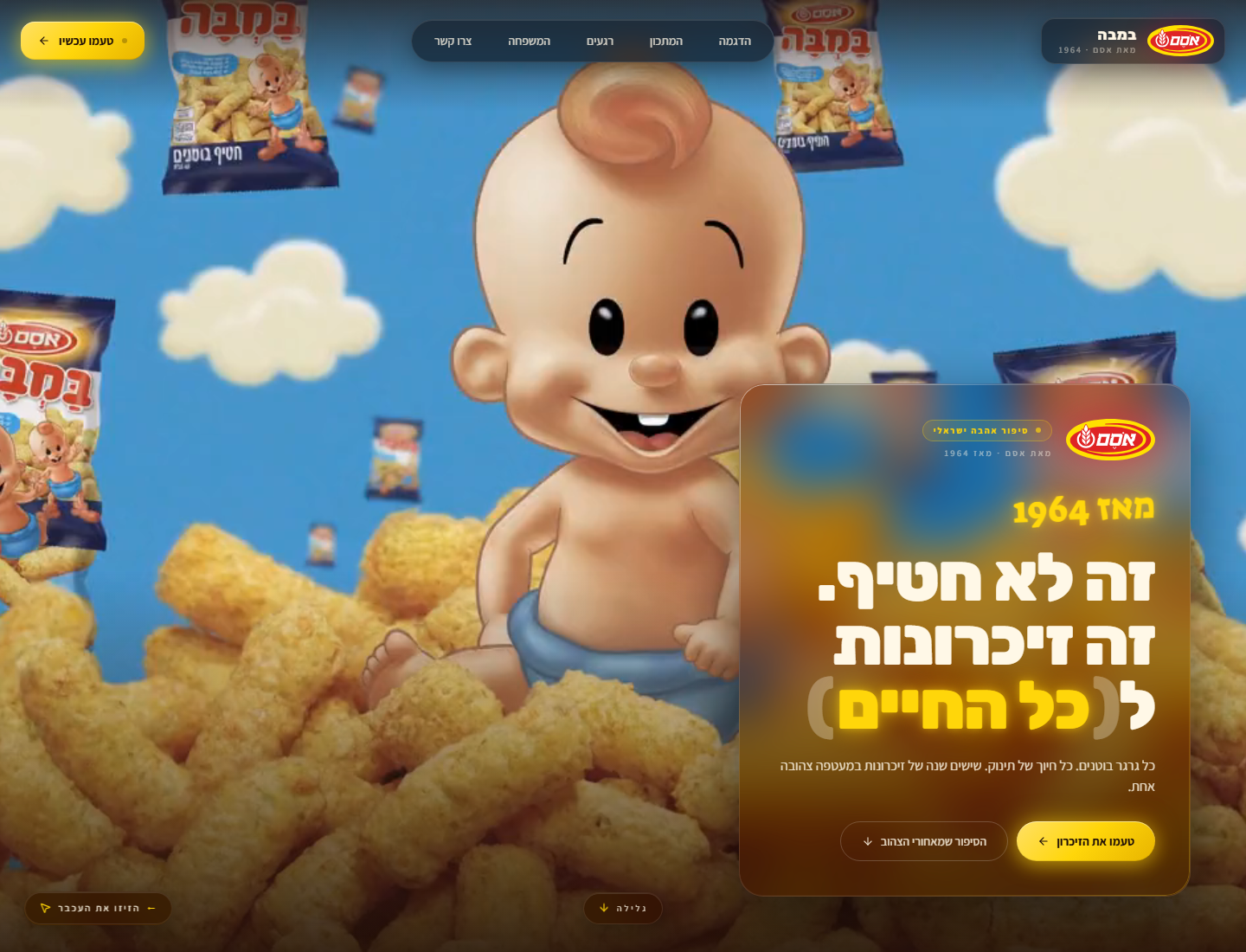
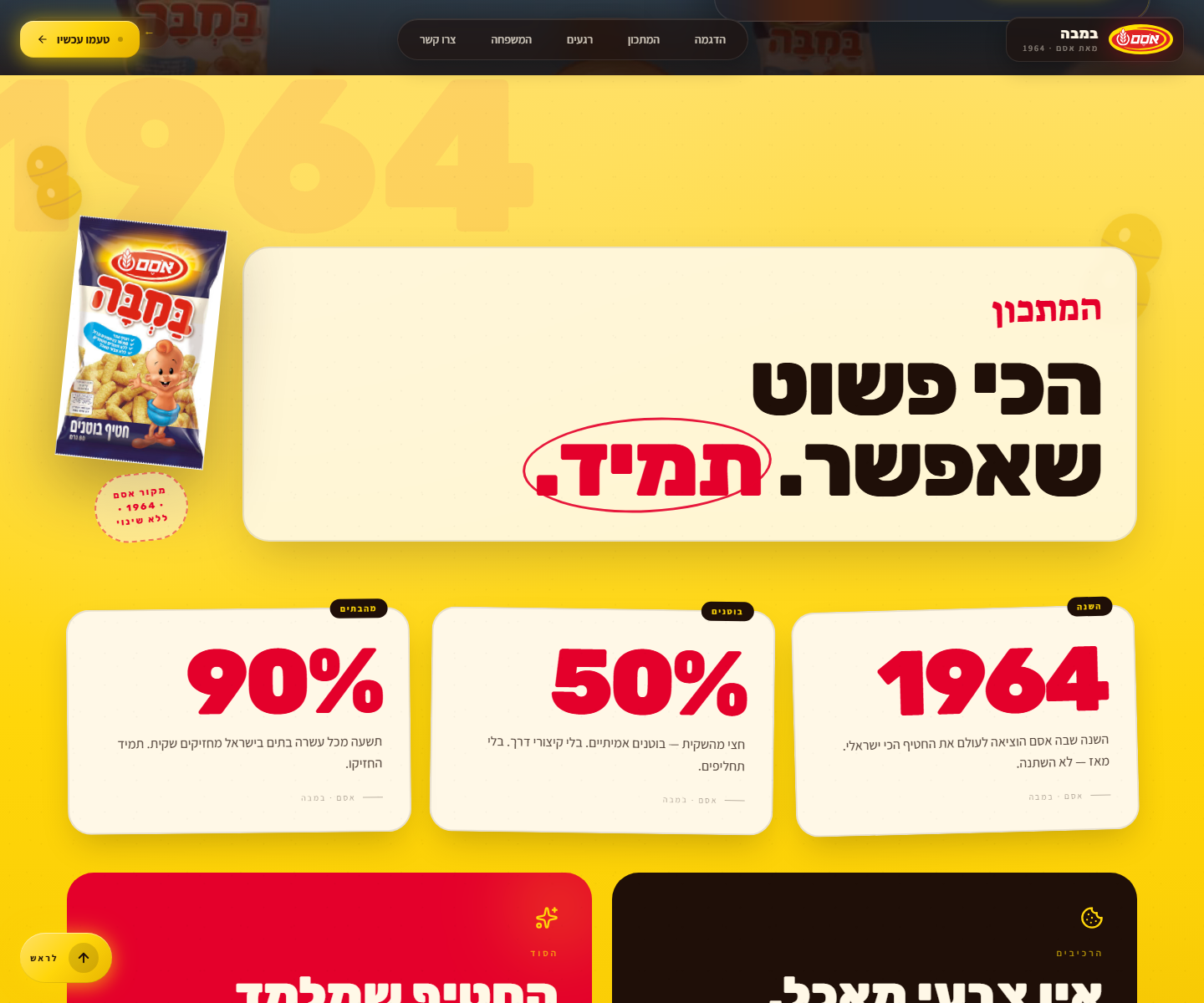
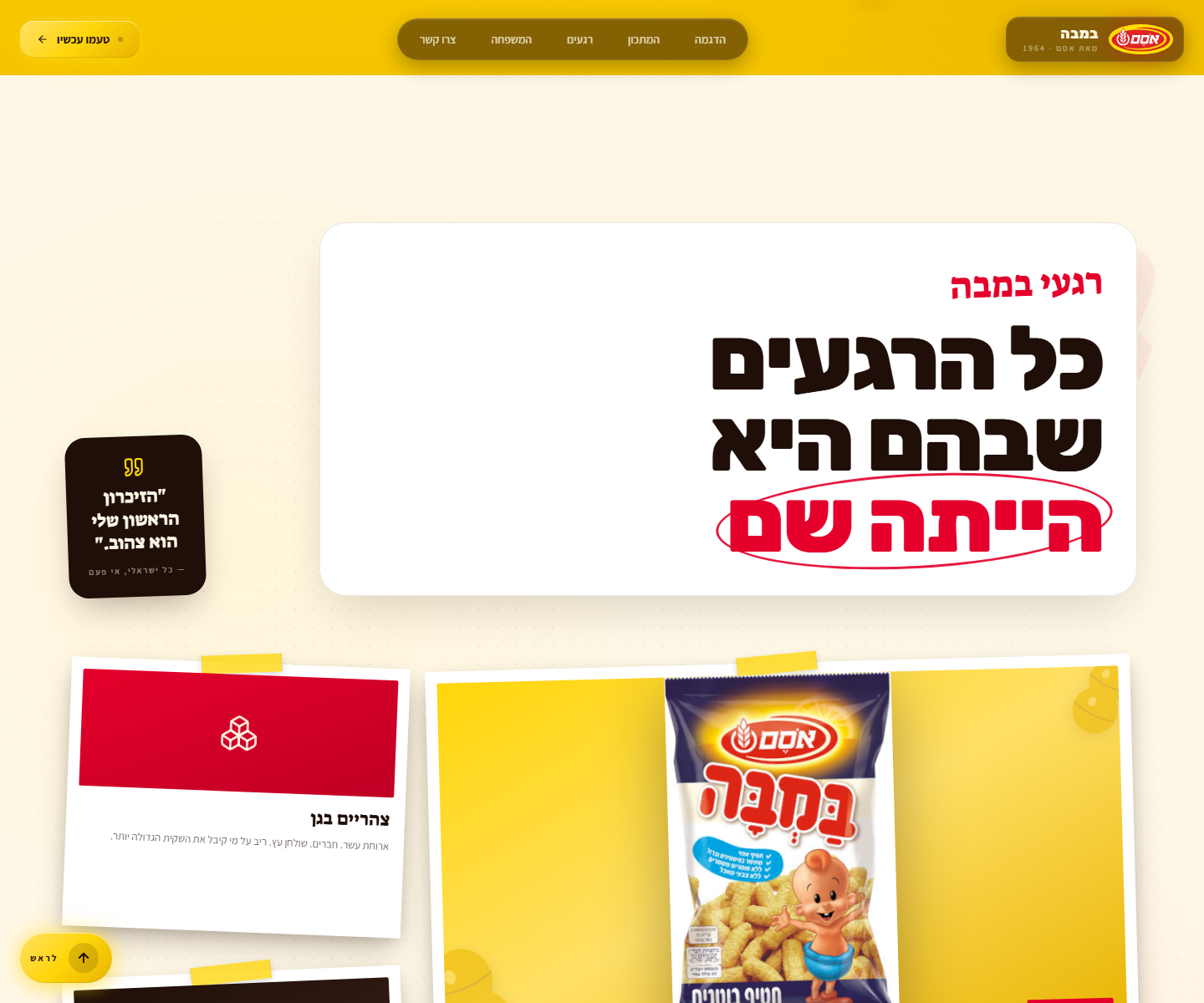
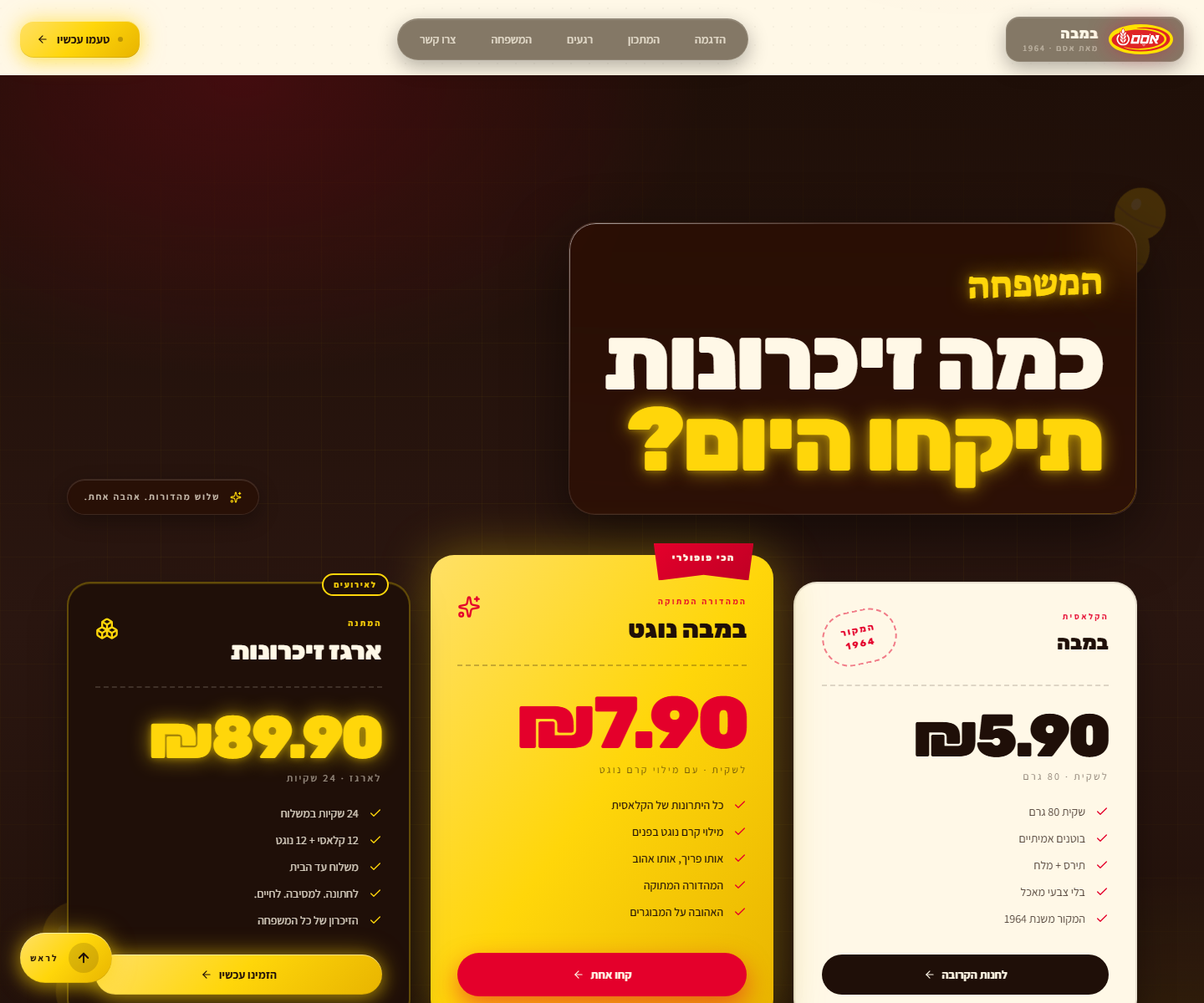
参考实现位于 https://github.com/hoodini/bamba —— 一个针对零食“במבה”的以色列RTL网站,其中婴儿视频在整个页面中跟踪光标,同时下方的4个不同区域(明亮的黄色食谱、奶油怀旧相册、黑暗沉思定价、红色行动结局)引导观众经历渴望→喜悦→怀旧→沉思→行动。

本技能中的每条规则都源自那个构建。在硬规则部分中的项目全都是来之不易的——它们会覆盖通用的“好代码”默认值。
组件库(你将要构建的内容)
英雄视图始终显示在顶部。在其下方,从组件库中选取4个区域,按叙事弧线顺序排列。每个区域都是完全不透明的(无视频透出)且有自己的品牌身份:
| 节拍 | 类型 | 参考 |
|---|---|---|
| 1 — 渴望 | 英雄(鼠标擦洗视频) | |
| 2 — 喜悦 | 阳光 — 明亮的主色调渐变,浮动主题SVG,巨大幽灵排版,统计卡片 |  |
| 3 — 怀旧 | 相册 — 奶油质感纸,点状微型图案,Polaroid布局带真实产品照片 |  |
| 4 — 沉思 | 烘焙 — 深色带径向主色调光晕,三个定价卡片各自采用不同视觉处理 |  |
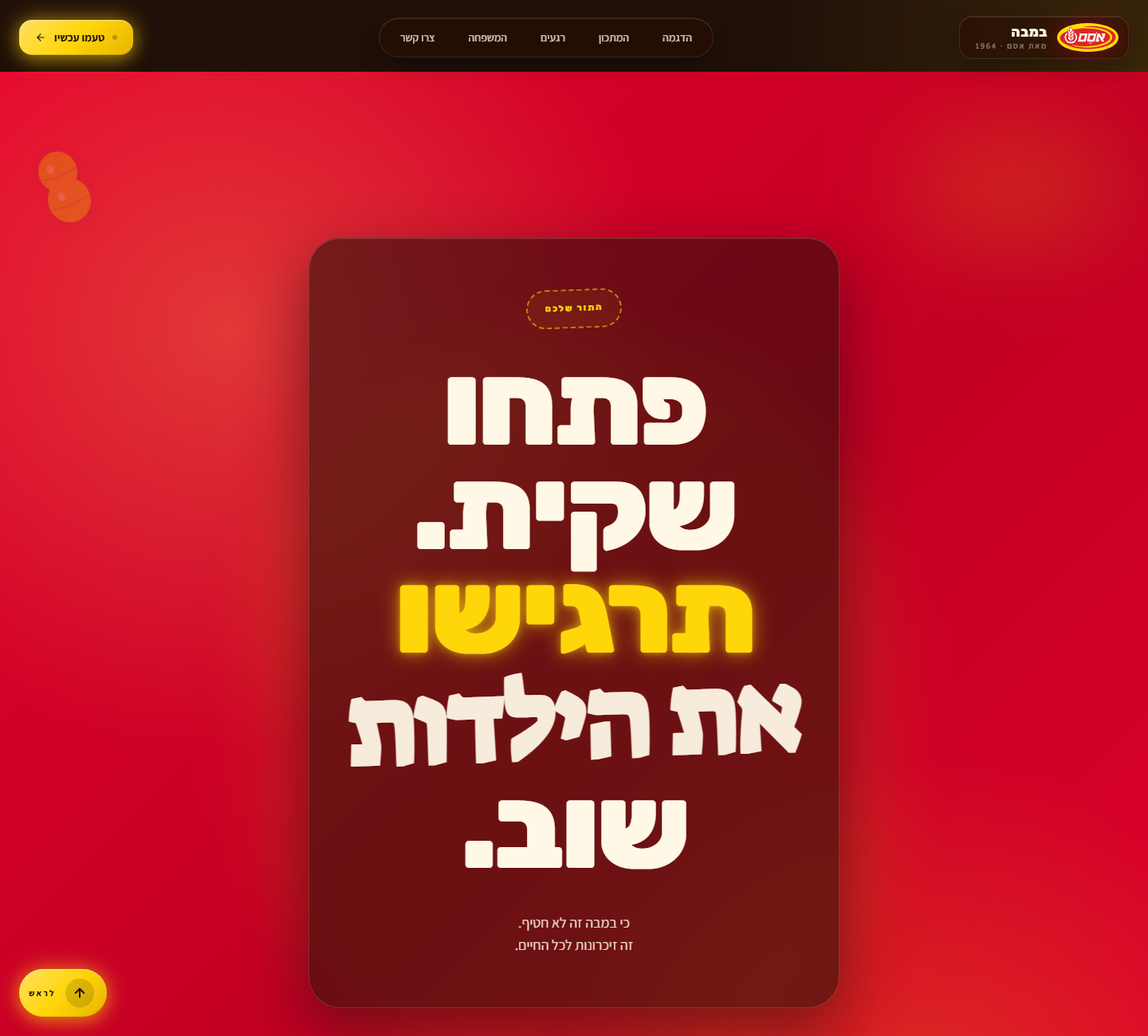
| 5 — 行动 | 信号 — 全出血强主色调(红/橙/绿),大字号标题+行动号召,玻璃包裹面板 |  |
对于技术/SaaS品牌,按需交换区域类型(见下方的组件库)——但总是以“信号”区域结尾。
如何使用该技能
-
将资源放入干净的目录:
- 英雄视频(任何容器 —
.mp4,.mov,.webm) - Logo(强烈推荐SVG;PNG带透明背景亦可)
- 1-3张产品/主题图片(JPG/PNG,透明背景最佳)
- 英雄视频(任何容器 —
-
与用户确认(简短——提出默认值,继续):
- 产品名称 + 元标语
- 语言代码(驱动RTL/LTR + 字体选择)
- 品牌上下文——时代、目标受众、情感核心、调色板感觉
- 可选:明确的调色板十六进制、叙事弧线节拍
-
按顺序执行以下工作流。所有阶段都是必选的。不要跳过ffmpeg重编码——那是让擦洗感觉流畅的魔法。
-
在报告完成前验证。第9阶段有12个检查项。全部运行。
输入 — 从用户那里收集
PRODUCT_NAME: "<例如 במבה / Bamba / Hope the Cheetah / Acme CRM>"
TAGLINE: "<元消息——例如 'it's not a snack, it's lifelong memories'>"
LANGUAGE: "<he | en | ar | es | fr | ja | ...>"
IS_RTL: "<true | false>"                                   # he/ar/fa = true;其他均为 false
HERO_VIDEO_FILE: "<当前目录中的确切文件名——例如 baby2.mp4>"
LOGO_FILE: "<确切的文件名——如果没有则为空>"
PRODUCT_IMAGE_FILE: "<确切的文件名——如果没有则为空>"
BRAND_CONTEXT: |
  <2-4句话:它唤起的时代、目标受众、情感核心、
  视觉身份(温暖/凉爽/有趣/严肃)。驱动调色板和主题。>
PALETTE: "<可选——逗号分隔的十六进制,如果覆盖默认值>"
NARRATIVE_ARC: "<可选——5个情感节拍;如果为空,AI会建议>"
完整的文本模板(包含相同的YAML块和提示正文)位于 references/GOLDEN_PROMPT.md —— 当你没有直接技能运行时,将YAML填写后粘贴到Claude中。
阶段0 — 规划设计(在编码前输出≤200字的简报)
在编写任何代码之前,输出:
-
提取的5色调色板:
background(最深墨色)、cream(暖色灰白文本——绝不要#FFFFFF)、accent(主要品牌色)、accent2(次要品牌色)、support(第三色调)。如果没有给出PALETTE,则从Logo和产品图片中提取。调色板必须在内部保持一致——要么全暖色,要么全冷色,绝不要混合。暖色品牌(食品、自然、怀旧、动物)→无蓝色、青色、薄荷色、蓝绿色。冷色品牌(科技、金融、医疗、科幻)→除微小强调外,无暖色调。 -
文字排版三元组(显示/正文/手写强调),针对该语言:
he: Rubik(显示)+ Assistant(正文)+ Suez One(强调)en: Anton(显示)+ Inter(正文)+ Caveat(强调)ar: Cairo(显示)+ Tajawal(正文)+ Reem Kufi(强调)es/fr/it/de: Anton 或 Bebas Neue(显示)+ Inter(正文)+ Caveat(强调)ja: Noto Sans JP weight 900(显示)+ Noto Sans JP(正文)+ Yusei Magic(强调)- 其他:选择三个匹配脚本的Google字体,采用相同的
display-black / body-clean / handwritten-script角色。
-
叙事弧线 — 映射到
BRAND_CONTEXT的5个情感节拍。将每个节拍与组件库中的一个区域类型匹配。
然后执行——不要请求确认。
阶段1 — 资源准备(魔法步骤)
1a. 验证 ffmpeg
which ffmpeg # 或在PowerShell中:Get-Command ffmpeg
如果不存在,停止并告诉用户安装(brew install ffmpeg / Windows: http://ffmpeg.org)。
1b. 将英雄视频重编码为每个帧都是关键帧
浏览器只能立即跳到关键帧——标准视频大约每250帧有一个关键帧,这会导致鼠标擦洗出现可怕的卡顿。这个单条命令是高级与业余之间的差别:
ffmpeg -y -i <HERO_VIDEO_FILE> -g 1 -keyint_min 1 -c:v libx264 -preset slow -crf 20 -pix_fmt yuv420p -an hero.mp4
验证输出:hero.mp4 应为5-50 MB。如果 > 50 MB,重新运行加上 -crf 25;如果 > 80 MB,加上 -crf 28。去除音频(-an)——英雄视频静音。
1c. 复制Logo和产品图片
cp <LOGO_FILE>           public/logo.<ext>
cp <PRODUCT_IMAGE_FILE>  public/product.<ext>   # 如果提供了的话
阶段2 — 脚手架
npm create vite@latest site -- --template react-ts
cd site
npm install
npm install lucide-react
npm install -D tailwindcss@3 postcss autoprefixer
npx tailwindcss init -p
mkdir -p public
mv ../hero.mp4 public/hero.mp4
# 同时将Logo和产品图片移动到public/
阶段3 — Tailwind 配置
完全替换 tailwind.config.js。使用提取的调色板和语言合适的字体:
/** @type {import('tailwindcss').Config} */
export default {
  content: ["./index.html", "./src/**/*.{js,ts,jsx,tsx}"],
  theme: {
    extend: {
      colors: {
        background: '<墨色/深色>',
        cream:      '<暖色灰白——绝不要 #FFFFFF>',
        accent:     '<主要品牌色>',
        accent2:    '<次要色>',
        support:    '<第三色>',
      },
      fontFamily: {
        sans:    ['<正文字体>',         'system-ui', 'sans-serif'],
        display: ['<显示字体>',      'sans-serif'],
        accent:  ['"<手写字体>"', 'cursive'],
      },
    },
  },
  plugins: [],
}
阶段4 — index.html
完全替换。遵守 IS_RTL。始终包含指向Logo的favicon链接:
<!DOCTYPE html>
<html lang="<LANGUAGE>" dir="<rtl|ltr>">
  <head>
    <meta charset="UTF-8" />
    <link rel="icon" type="image/svg+xml" href="/logo.svg" />
    <link rel="apple-touch-icon" href="/logo.svg" />
    <meta name="viewport" content="width=device-width, initial-scale=1.0" />
    <link rel="preconnect" href="https://fonts.googleapis.com">
    <link rel="preconnect" href="https://fonts.gstatic.com" crossorigin>
    <link href="<所选三个字体的Google Fonts URL>" rel="stylesheet">
    <title><PRODUCT_NAME> — <TAGLINE></title>
  </head>
  <body>
    <div id="root"></div>
    <script type="module" src="/src/main.tsx"></script>
  </body>
</html>
阶段5 — index.css(设计系统)
完全替换。下面的每个工具类都是关键承载的。名称假设之前提取的是暖色调色板;对于冷色品牌,将阴影色调中的“yellow”/“red”提及替换为实际强调色。
必须包含:
html { scroll-behavior: smooth; }+section[id] { scroll-margin-top: 90px; }这样锚点节不会落在固定导航下方。body背景 =background颜色(视频失败时的后备)。cursor=crosshair。默认字体 = 正文无衬线。.liquid-glass/.liquid-glass-strong— backdrop-blur + saturate + 内部发光边框 + 蒙版渐变边缘高光。强变种使用带有accent的内部发光色调。.glass-pill— 紧凑的圆角药丸,具有相同的玻璃效果,用于导航项和小徽章。.cta-primary— 品牌CTA:linear-gradient(135deg, accent-light, accent, accent-shade)+ 强调色发光阴影(悬停时增强)+translateY(-1px)提升。.brand-mark— 如果没有提供SVG,用于小Logo标记的小正方形/圆形。.grid-bg— 细微的1px网格,带径向淡出蒙版,用于深色区域下方。.reveal/.revealed— IntersectionObserver 滚动显示效果:opacity 0 → 1+translateY 28 → 0,持续0.9秒,使用cubic-bezier(0.16, 1, 0.3, 1)。.scrim-top/.scrim-bottom— 仅用于英雄区域的渐变叠加。- 按感受而非颜色命名的每个区域背景:
.sun-section— 明亮的主色调渐变 + 细微的点状纹理(“喜悦 / 打开袋子”节拍)。.album-section— 暖色灰白纸面,径向强调色色调 + 点状微型图案,边缘蒙版淡出。.roast-section— 深色,带相对角落的径向强调色 + 强调色2光晕 + 蒙版网格纹理。.signal-section— 全出血强强调色(通常为红/橙/绿),用于行动结局。
.polaroid— 白色卡片,内边距14px 14px 44px 14px,柔和层叠阴影,悬停提升到translateY(-6px) rotate(0)。.polaroid-tape= 黄色/强调色胶带条,位于顶部居中,旋转 -4°,带虚线侧边提示。.stamp— 虚线边框药丸,强调色,大写,字母间距0.18em。.ribbon— 定价/流行徽章,带有clip-path三角形底部,深色投影。.highlight-circle— 通过::after绘制的手绘感觉椭圆:围绕一个内联<span>的3px强调色边框旋转。在最大的标题中使用它来围绕最重要的单词(每个标题最多一个)。- 装饰性主题滤镜:
.peanut-svg/.<motif>-svg,带drop-shadow。 - 遵守
prefers-reduced-motion: reduce— 在媒体查询中禁用显示动画和平滑滚动。
阶段6 — App.tsx 架构
架构是不可协商的。第一次就做对:
6a. 导入
import { useEffect, useRef, useState } from 'react';
import {
  Menu, X, ArrowLeft, ArrowRight, ArrowDown, ArrowUp, MousePointer2,
  // …外加4-8个品牌主题图标 (Heart, Sparkles, Cookie, PawPrint, Cpu, Leaf, …)
} from 'lucide-react';
6b. 在App.tsx内部定义的可复用组件
useReveal<T>()— 返回一个ref的IntersectionObserver钩子;在第一次交叉时添加revealed类(阈值为0.15)。GlassCard— 包装了显示钩子的组件,可选的strong属性,接受className。Motif— 一个装饰性SVG组件,主题化为BRAND_CONTEXT(食品用花生,动物用爪子,科技用电路,自然用叶子,饮料用水滴,能量用闪电)。在每个深色/亮色区域中,以低不透明度浮动在3-6个位置。ScrollToTopButton— 在RTL中固定于bottom-6 left-6,在LTR中固定于bottom-6 right-6。当window.scrollY > window.innerHeight * 0.6时出现。平滑滚动到顶部。语言合适的标签("לראש" / "Top" / "أعلى" / "Inicio")。
6c. 鼠标擦洗效果(核心)
const videoRef = useRef<HTMLVideoElement>(null);
const stateRef = useRef({ targetTime: 0, isSeeking: false });

useEffect(() => {
  const video = videoRef.current;
  if (!video) return;

  const handleLoaded = () => {
    const mid = video.duration / 2;
    video.currentTime = mid;
    stateRef.current.targetTime = mid;
  };

  const handleSeeked = () => {
    const s = stateRef.current;
    s.isSeeking = false;
    if (Math.abs(s.targetTime - video.currentTime) > 0.01) {
      s.isSeeking = true;
      video.currentTime = s.targetTime;
    }
  };

  const handleMouseMove = (e: MouseEvent) => {
    const s = stateRef.current;
    const d = video.duration;
    if (!d || isNaN(d)) return;
    const normalized = e.clientX / window.innerWidth;
    // 如果对象相对于光标“向后”移动且感觉不正确,可以选
    // 择使用 `1 - (e.clientX / window.innerWidth)` 代替——先询问用户。
    s.targetTime = Math.max(0, Math.min(d, normalized * d));
    if (!s.isSeeking) { s.isSeeking = true; video.currentTime = s.targetTime; }
  };

  video.addEventListener('loadedmetadata', handleLoaded);
  video.addEventListener('seeked', handleSeeked);
  window.addEventListener('mousemove', handleMouseMove);
  return () => {
    video.removeEventListener('loadedmetadata', handleLoaded);
    video.removeEventListener('seeked', handleSeeked);
    window.removeEventListener('mousemove', handleMouseMove);
  };
}, []);
isSeeking 守卫是关键的——如果没有它,mousemove的触发速度会快于浏览器的解码速度,导致seek队列溢出和可见的卡顿。
6d. 可点击的滚动监听导航
const navItems: { label: string; target: string }[] = [
  { label: '<演示>',     target: 'top'     },
  { label: '<食谱>',     target:

…

[内容因长度限制已截断]