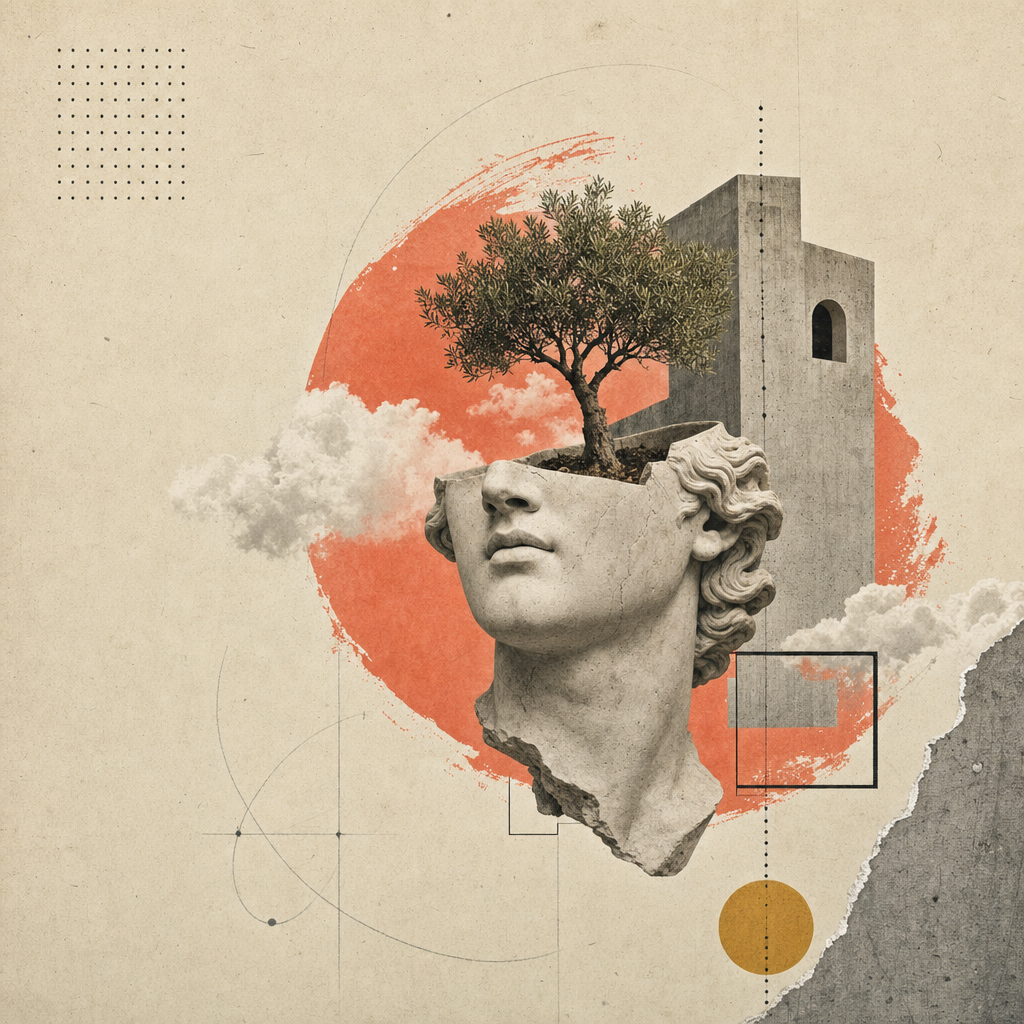
open-design-landing
Atelier Zero 디자인 시스템으로 단일 페이지 편집 랜딩 사이트(또는 슬라이드 데크 — 형제 스킬 open-design-landing-deck 참조)를 구축합니다: 따뜻한 종이 배경, Inter Tight + Playfair Display, 이탤릭 세리프 강조 범위, 점선 헤어라인, 산호색 종료 점, 스크롤 리빌 모션, 16개의 초현실적 콜라주 플레이트.
이것은 Open Design 마케팅 페이지의 표준 레시피입니다. 예시 출력은 open-design에서 볼 수 있는 바로 그 페이지입니다.
이 스킬은 완전히 매개변수화되어 있습니다. 에이전트는 사용자의 브리프로부터 하나의 타입이 정의된 inputs.json을 채웁니다. 컴포저는 해당 JSON + 표준 styles.css를 배포 가능한 아티팩트로 변환합니다.
inputs.json + styles.css                       16 image slots
        │                                            │
        └──────────► scripts/compose.ts ◄────────────┘
                            │
                            ▼
              <out>/index.html  (self-contained)
              <out>/assets/      (PNG or SVG)
제공되는 기능
모든 기능이 포함된 단일 HTML 파일:
- 편집 상단바 (볼륨 / 호 / 언어 스트립), Headroom 스타일 고정 내비게이션 (실시간 GitHub 별 카운트 포함).
- 8개의 로마 숫자 섹션 (종이 질감 배경): 히어로 (3개의 통계 링 + 4단계 인덱스), 소개, 역량 (4개 카드), 연구소 (5개 카드 + 필터 알약 + 진행 막대), 방법 (4단계 + 썸네일), 주요 작업 (어두운 슬래브 + 2개 기울어진 카드), 추천사 (풀 인용문 + 5개 파트너 글리프), CTA (리본 + 이메일 알약).
- 4개의 링크 열 + 큰 이탤릭 세리프 키커 단어가 있는 푸터.
- 모든 섹션에 스크롤 리빌 모션 (IntersectionObserver,
prefers-reduced-motion준수). - 1280 / 1080 / 880 / 560 중단점에서 완전 반응형.
워크플로 계약
이 네 단계를 순서대로 실행합니다. 에이전트는 각 단계를 완료한 후 다음으로 넘어가야 하며, 내용을 자체적으로 발명하기보다는 사용자에게 집중된 질문을 하는 것을 선호해야 합니다.
1. 브랜드 입력 수집
브랜드 브리프를 여러 부분으로 나누어 수집하려면 AskQuestion(또는 UI의 해당 기능)을 사용하십시오. 전체 schema.ts를 사용자에게 덤프하지 마십시오. 답변을 타입이 정의된 inputs.json에 매핑하십시오.
8가지 질문 그룹 (순서대로):
| 그룹 | 스키마 필드 | 최소 답변 수 | 참고 |
|---|---|---|---|
| 1 | brand.{name,mark,tagline,description,location} | 5 | Mark = 단일 글리프 (Ø, ▲, ★…) |
| 2 | brand.{license,version,year,primary_url,contact_email} | 4 | URL은 필수; license 기본값 Apache-2.0 |
| 3 | nav[] (최대 5개) | 3 | 선택적 카운트 배지 |
| 4 | hero.{label,headline,lead,primary,secondary,stats} | 모두 | Headline = MixedText (sans+em+dot) |
| 5 | about + capabilities.cards[4] | 모두 | 4개 카드 × {num,tag,title,body} |
| 6 | labs.cards[5] + method.steps[4] | 모두 | 두 그리드 모두 고정 아리티 |
| 7 | work.cards[2] + testimonial | 모두 | 5개 파트너 글리프 (인라인 SVG 경로 데이터) |
| 8 | cta + footer.{columns[4],mega} | 모두 | Mega kicker는 headlines와 같은 MixedText |
완전한 작업 예시(Open Design 자체)를 보려면 inputs.example.json을 여십시오.
2. 이미지 전략 결정
| 전략 | 선택 시기 | 비용 / 지연 시간 |
|---|---|---|
placeholder | 첫 번째 패스. 데모. 내부 슬라이드. 아직 이미지 예산 없음. | $0, <1초 |
generate | 최종 전달. 브랜드가 독창적인 콜라주를 원함. | ~$0.40, ~6분 |
bring-your-own | 사용자가 아트 디렉션 PNG를 가지고 있음. assets_path에 배치. | $0, 0초 |
inputs.imagery.strategy를 그에 따라 설정하십시오.
placeholder — 프레임 모드
npx tsx scripts/placeholder.ts <out>/assets/
<out>/assets/에 16개의 .svg 파일(호환성을 위해 .png 별칭 포함)을 씁니다. 각 플레이스홀더에는 슬롯 ID, 비율, 픽셀 치수 및 image-manifest.json의 프롬프트 힌트가 표시됩니다. 컴포저의 <img src='./assets/hero.png'> 등이 정상 작동합니다.
generate — gpt-image-2 모드
FAL_KEY=... npx tsx scripts/imagegen.ts <inputs.json> --out=<out>/assets/
슬롯별로 fal.ai의 openai/gpt-image-2 동기 엔드포인트를 호출합니다. 다음과 같이 프롬프트를 구성합니다: 스타일 앵커 (종이 콜라주 편집 시스템) + 브랜드 변수 (inputs.json에서 가져온 이름/내비게이션/헤드라인/이탤릭 강조) + 슬롯별 구성 (예: 잘린 석고 머리 + 아치를 통해 자라는 나무). 대상 파일이 이미 존재하는 슬롯은 건너뜁니다. --force를 전달하여 다시 렌더링합니다.
FAL_KEY가 없으면 스크립트는 프롬프트를 출력하므로 운영자가 /gpt-image-fal 슬래시 명령 스킬을 통해 수동으로 라우팅할 수 있습니다.
bring-your-own
inputs.imagery.assets_path에 assets/image-manifest.json 파일 이름과 일치하는 16개의 PNG를 배치하십시오. 완료입니다.
3. 아티팩트 구성
npx tsx scripts/compose.ts <inputs.json> <out>/index.html
컴포저는 inputs.json과 ../styles.css를 읽은 다음 하나의 독립 실행형 HTML 파일을 씁니다. 페이지에는 다음이 포함됩니다:
- 전체 Atelier Zero 스타일시트 (인라인).
- 지연 스크롤 모션을 위한
data-reveal속성이 있는 모든 섹션 마크업. - 인라인 IntersectionObserver 스크립트 (
apps/landing-page/app/_components/reveal-root.tsx미러링). - 인라인 Headroom 내비게이션 스크립트 (
header.tsx미러링). - 인라인 GitHub 별 카운트 가져오기 (
brand.primary_url에서 자동 감지).
4. (선택 사항) 배포 가능한 Astro 사이트 미러링
배포 가능한 프로덕션 출력을 위해 apps/landing-page/ 패키지를 포크하십시오: 작업 공간에 복사하고, inputs.json의 콘텐츠와 일치하도록 app/page.tsx를 조정한 다음, app/image-assets.ts / R2 URL에서 예상하는 경로로 <out>/assets/*.png를 복사하십시오. 모든 CDN에 사용할 준비가 된 정적 out/ 내보내기를 위해 pnpm --filter @open-design/landing-page build로 빌드하십시오.
향후 반복에서는
inputs.json에서 전체apps/landing-page/트리를 한 번에 생성하는 컴포저를 번들로 제공할 수 있습니다. 그때까지는 포크 후 편집이 지원되는 경로입니다.
전달 전 자체 점검
완료 표시 전에 에이전트는 반드시 다음을 확인해야 합니다:
-
<out>/index.html이 브라우저에서 콘솔 오류 없이 열립니다. - 모든 16개 이미지 슬롯이 로드됩니다 (DevTools 네트워크 탭에서 404 없음).
- 헤드라인 이탤릭 강조 범위가 Playfair(Sans가 아닌)로 렌더링됩니다.
- 산호색 종료 점이 모든
displayh1/h2 끝에 나타납니다. - 위에서 아래로 스크롤합니다. 모든 섹션이 한 번씩 애니메이션됩니다.
- 880px 및 560px로 크기 조정합니다. 가로 스크롤, 겹침 없음.
-
prefers-reduced-motion: reduce(DevTools → Rendering)가 전환을 깔끔하게 비활성화합니다. - Lighthouse: 대비 AA, font-display swap, 히어로에서 레이아웃 이동 없음 (CLS < 0.05).
이 스킬의 파일
skills/open-design-landing/
├── SKILL.md                 # 이 계약
├── README.md                # 빠른 시작
├── schema.ts                # 타입 정의된 입력 (단일 진실 공급원)
├── styles.css               # Atelier Zero 스타일시트 (단일 진실 공급원)
├── inputs.example.json      # Open Design 작업 예시
├── example.html             # 표준 렌더링 (inputs.example.json에서 재생성됨)
├── scripts/
│   ├── compose.ts           # inputs.json + styles.css → index.html
│   ├── imagegen.ts          # gpt-image-2 래퍼 (fal.ai)
│   └── placeholder.ts       # SVG 종이 질감 프레임
└── assets/
    ├── *.png                # 16개 콜라주 플레이트 (Open Design 인스턴스)
    ├── image-manifest.json  # 슬롯 → 파일/치수/프롬프트 매핑
    └── imagegen-prompts.md  # 사람이 읽을 수 있는 프롬프트 팩
경계
- 새로운 색상이나 서체를 발명하지 마십시오. 토큰은
design-systems/atelier-zero/DESIGN.md에 있습니다. 여기에 새 램프를 추가하기 전에 디자인 시스템을 확장하십시오. - 생성된 마크업에서
data-reveal속성을 빼지 마십시오. 이 속성이 없으면 페이지가 정적이고 생명력 없게 느껴집니다. - 구성된 HTML을 자체 스타일시트 순서를 주입하는 프레임워크로 감싸지 마십시오 — Atelier Zero는 종이 질감과 사이드 레일의 z-인덱스를 위해 스타일시트 순서 캐스케이드에 의존합니다.
- Astro 랜딩 페이지 포크를 위한 별도 스타일시트 파일을 추가하지 마십시오.
styles.css를 그대로app/globals.css에 복사하여 시각적 일관성을 유지하십시오.
함께 보기
design-systems/atelier-zero/DESIGN.md— 토큰 사양.apps/landing-page/— 배포 가능한 Astro 정적 대응물.skills/open-design-landing-deck/— 이 디자인 시스템을 재사용하는 형제 슬라이드 스킬.