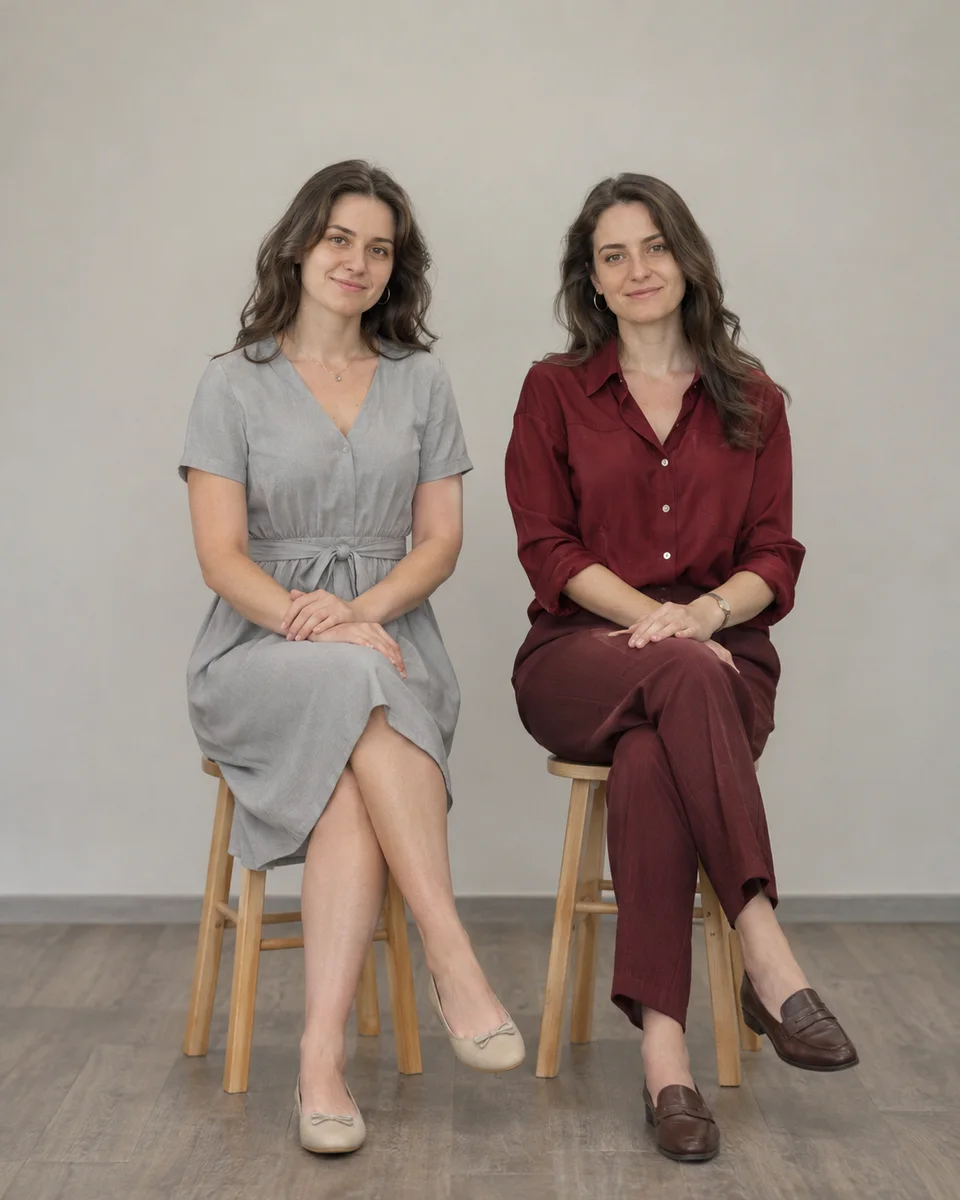
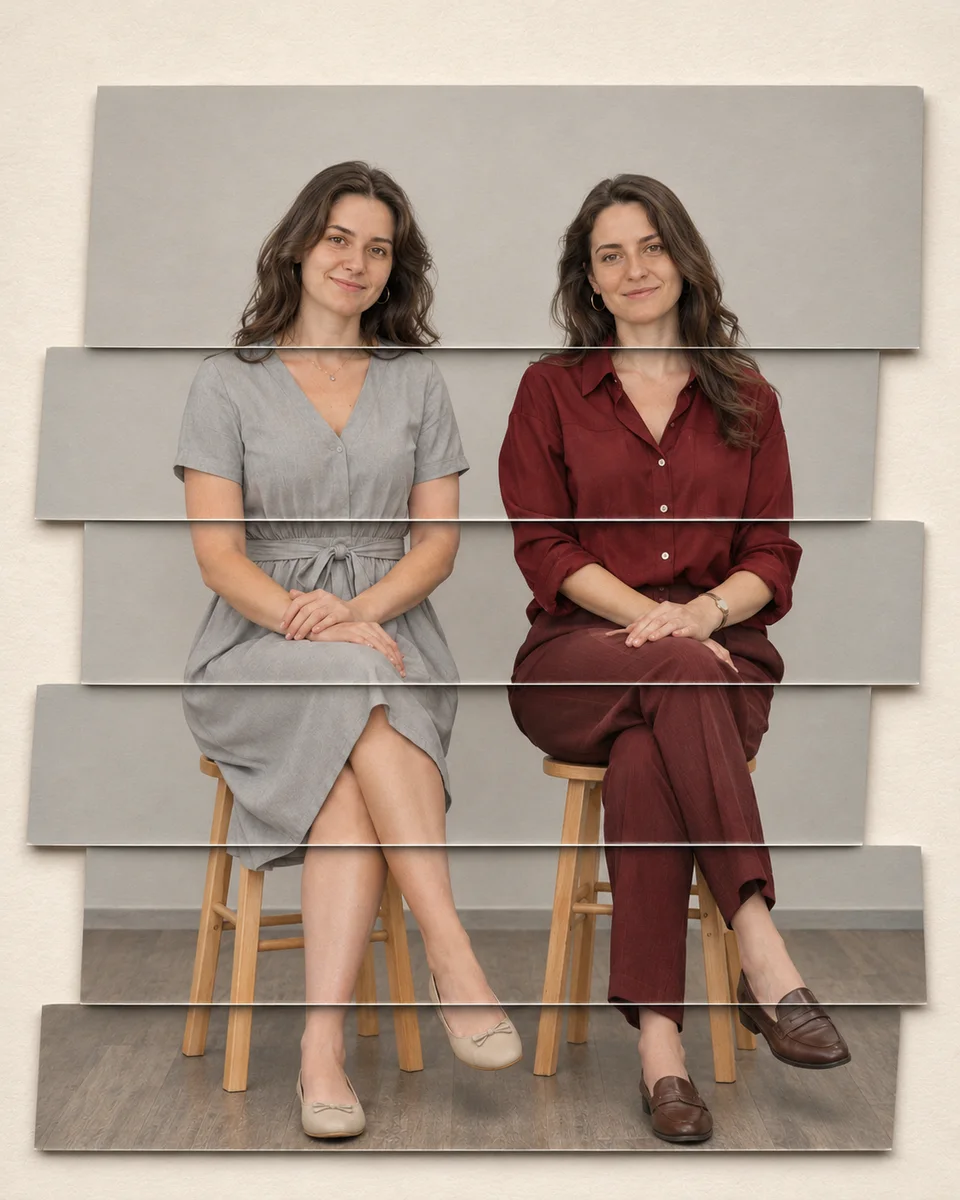
錯層写真帯 · Staggered Photo Ribbons
写真の主題を錯層写真帯(ステガードフォトリボン)に変換します。ワイドな写真リボンをわずかにずらして配置し、人物のつながりが識別可能なまま保持されます。認識可能なアイデンティティと主要な空間関係を維持します。
A group photograph cut into offset horizontal image ribbons on restrained paper space. Offset a few wide source-photo ribbons by small amounts while keeping complete faces, body connections and overall group order readable.
本方法は VigoZhao の MIT ライセンスの説明から改変されています。原作者の帰属、出典、変更点については provenance.json を、完全な上流ライセンスと著作権表示については LICENSE-THIRD-PARTY.txt を参照してください。
Adapted from VigoZhao's MIT-licensed instructions. provenance.json records the original author, pinned source and modifications; LICENSE-THIRD-PARTY.txt retains the complete upstream license and copyright notices.
元の帰属 · Original attribution: Copyright (c) 2026 VigoZhao Adapted by MuziGeek from VigoZhao; original-post attribution is retained where the collection provides it.
入力分析と実際の保持
- ユーザーが提供した元画像を読み取ります。利用可能な画像がない場合は、まず画像を要求します。このリポジトリのサンプルをユーザーの入力の代わりに使用しないでください。
- 元画像の被写体、アイデンティティ、人数、接続、遮蔽、照明、フレーミングを観察します。このスキルの保持制約と幾何学的境界に基づいて、保持する属性と明示的に許可された変換を区別します。サンプルの説明はユーザー入力に関する事実ではありません。
- 参照画像編集が可能なツールを使用します。観察した事実と recipe.yaml の順序付けられたメカニズムを組み合わせます。そのモデルファミリーラベルはインストールスクリプトを必要としません。
- デフォルトでは入力のアスペクト比を維持します。ユーザーから要求され、かつ以下で明示的に許可された場合にのみ、構図や幾何学的変換を変更します。レシピの 4:5 の比率はカタログサンプルのデフォルトであり、保護された被写体を切り取る許可ではありません。
- 出力を入力と比較し、観察された失敗を修正します。実際に完了した視覚チェックのみを報告します。スタイルを強化するためにアイデンティティやシーンの完全性を上書きしてはなりません。
Input analysis and preservation
- Inspect the supplied image; request an image only when none is available. Never substitute a repository example for the user's input.
- Inspect the real subjects, identity, counts, attachments, overlaps, light and framing. Distinguish preserved attributes from explicitly permitted transformations using this Skill’s preservation and geometry rules; sample descriptions are not facts about user input.
- Use an available reference-image editing tool. Combine the observed facts with the ordered mechanisms in recipe.yaml; its model-family label does not require an installation script.
- Keep the input ratio by default; change composition or geometry only as requested by the user and expressly permitted below. The recipe’s 4:5 ratio is a catalog-sample default, not permission to crop protected subjects.
- Compare output with input and correct observed failures. Report only visual checks actually completed; stronger styling must not override identity or scene integrity.
スタイルのメカニズム · Style mechanism
- 写真の主題を錯層写真帯に変換します。ワイドな写真リボンをわずかにずらして配置し、人物のつながりが識別可能なまま保持されます。認識可能なアイデンティティと主要な空間関係を維持します。
- 識別特徴:ワイドなフォトリボン、限定的な位置のずれ、ペーパーの浅い影。
- Medium anchor: A group photograph cut into offset horizontal image ribbons on restrained paper space.
- medium — A group photograph cut into offset horizontal image ribbons on restrained paper space.
- composition — Offset a few wide source-photo ribbons by small amounts while keeping complete faces, body connections and overall group order readable.
- texture — Use crisp cut edges and shallow paper shadows; no added duplicate heads or unrelated photographs.
- palette — Use a controlled palette appropriate to the requested medium; retain identifying source colors whenever the mechanism permits.
- lighting — Keep illumination internally consistent across the entire edited image, with contact shadows appropriate to the requested medium.
- detail — Retain source subject count, essential openings and connected anatomy; remove no identifying detail unless the permitted transformation requires it.
- finish — Deliver one finished image at the input aspect ratio, without comparison panels, new lettering, logos, watermarks or an external frame.
保持制約 · Preservation constraints
実際の入力観察結果に以下の制約を適用します。このリストは、画像に存在しない要素を空想して追加することを許可しません。
Apply these constraints to observed content; they never authorize inventing absent subjects.
- ソースの被写体数、認識可能なアイデンティティ、主要なポーズ、接続された解剖学的構造(明示的に許可された変換に従う)。
- 必須の開口部、付属物、前景と背景の関係。
- 入力フレーム内の完全な主要被写体。偶発的なクリッピングは許可されません。
適用範囲と幾何学的境界 · Applicability and geometry
- 適用:集合写真。
- Applies to: Group.
- ワイドなフォトリボン間のわずかなオフセットを許可します。顔は完全に保ち、身体の接続とグループの順序を読み取り可能に維持します。
- Permit small offsets between wide photo ribbons; keep faces complete and retain readable body connections and group order.
- 明示的に許可されていない構造変更は、このスタイルの範囲外です。この方法を、特定のアーティスト、ブランド、既存の作品を複製する許可と解釈しないでください。
- Structural changes not explicitly allowed above are outside this method. This is not permission to reproduce a named artist, brand or existing artwork.
除外事項 · Avoid
- 架空の人物、余分な手足、重複した主要被写体、接続されていない解剖学的構造。
- 要求されていないロゴ、装飾的な文字、透かし、または架空の技術的クレーム。
- 指定された物理的または光学的メカニズムを実装できない一般的なフィルター。
承認 · Acceptance
- ワイドなフォトリボンがわずかにずれて配置され、人物のつながりが識別可能なまま保持されている。 Use crisp cut edges and shallow paper shadows; no added duplicate heads or unrelated photographs.
- ワイドなフォトリボン間のわずかなオフセットを許可します。顔は完全に保たれ、身体の接続とグループの順序を読み取り可能に維持します。 Permit small offsets between wide photo ribbons; keep faces complete and retain readable body connections and group order.
- 被写体は明確に識別可能で、つながりは自然です。効果は特定のメカニズムを実装している必要があり、単なる汎用フィルターであってはなりません。 The subject remains legible with coherent connections; the requested physical or optical mechanism is visibly implemented.
- 無関係な文字、ブランド、枠線、架空の測定値を含まない、完成した画像を1つだけ納品します。 Return one finished image without unrelated lettering, brands, frames or fabricated measurements.
レシピ、出典、ライセンス · Recipe, provenance and license
- recipe.yaml: 構造化画像編集レシピ / structured image-editing recipe。
- provenance.json: 元の著作権、メソッドのコンテキスト、サンプルのステータス / original authorship, method context and example status。
- LICENSE: MIT は MuziGeek のオリジナルの貢献に適用されます / MIT applies to MuziGeek's original contributions。
- LICENSE-THIRD-PARTY.txt: VigoZhao · MIT。改変された素材はこれらの条件と帰属を保持します / Adapted material retains these terms and attribution。
- サンプルのビフォー/アフター画像は AI 生成であり、実際の人物の写真や物理的な工芸品の証拠ではありません。結果はモデルと入力によって異なり、同じ出力を保証するものではありません。
- Example before/after images are AI-generated, not photographs of real people or evidence of physical craft production. Results vary by model and input.
- MIT は、ユーザー入力、第三者の作品、人物の肖像、商標に対する権利を付与せず、生成サービスの利用規約を無効にするものではありません。サンプルの利用条件は provenance に別途記録されています。
- MIT grants no rights to user inputs, third-party works, likenesses or trademarks, and does not override generation-service terms; example terms are recorded separately in provenance.
サンプルのステータス · Example status
ready: 元画像と効果画像の実際の生成とビジュアルレビューの記録が完了しています。COS でホストされているサンプルは、アップロードと読み取りの証跡を別途保持しており、画像バイナリはリポジトリに含まれていません。
ready: the source and effect have recorded real generation and approved visual reviews. COS-hosted examples also retain upload readback receipts; their image bytes are not bundled.
| AI生成の元画像 · Source | 承認された効果 · Approved effect |
|---|---|