

2D Explainer Long Videos — Master Skill & Production Runbook
This skill documents the exact workflow, visual DNA, character rules, and high-speed procedural rendering architecture used to analyze and recreate long-form 2D Explainer & Survival Storytelling Videos (1920x1080, 30 FPS, 8–15+ minutes, 100+ shots) from scratch.
1. How I Give Instructions (User's Core Method & Rules)
Whenever I ask you to create or recreate a video using this skill, follow my exact instruction method and non-negotiable rules:
Rule #1: Protagonist Identity is ALWAYS "Chad" (Never "Melvin")
- My main character's name is "Chad" (
Chad H./CHAD). - If a reference video uses another name (such as
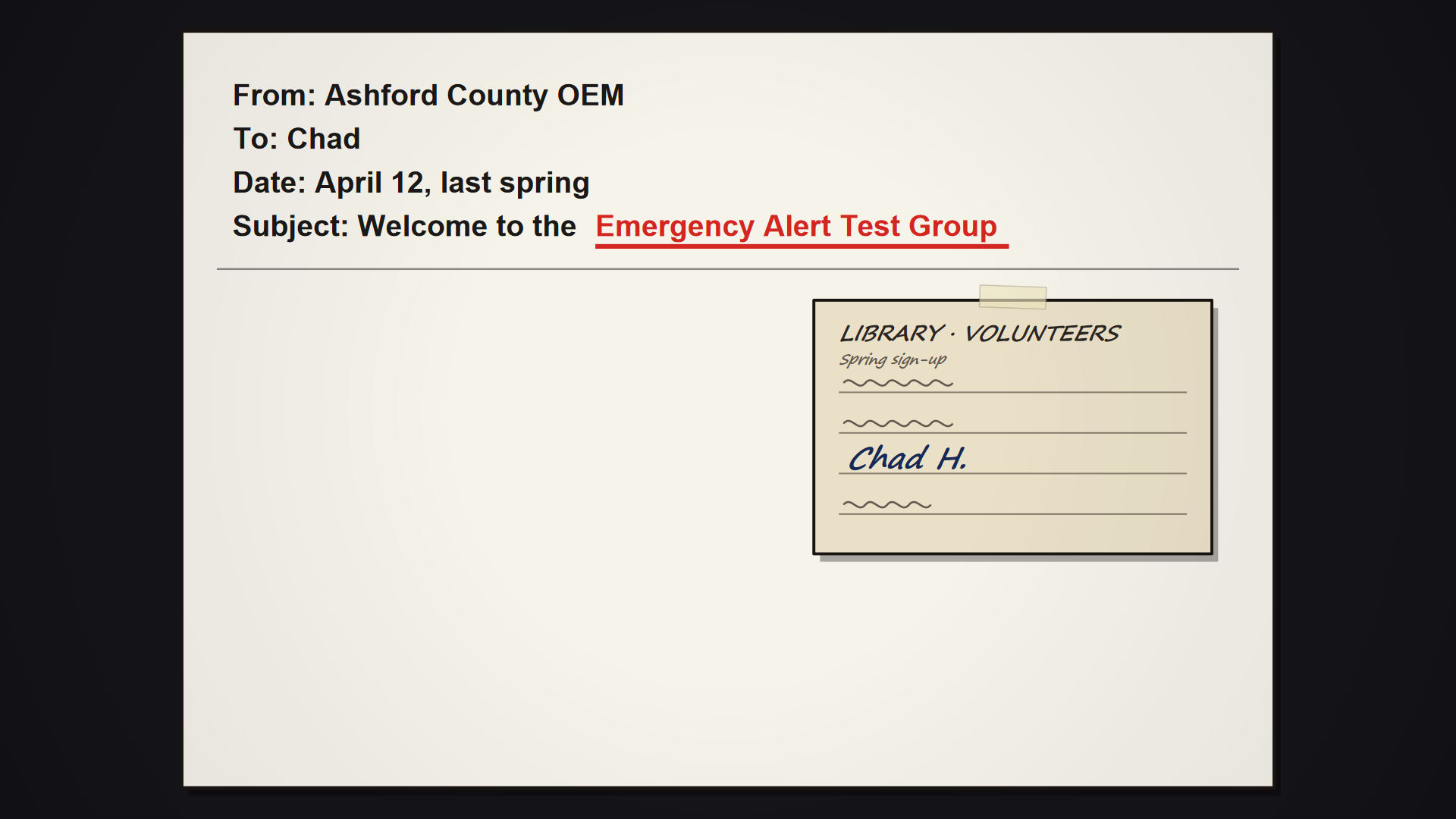
"Melvin"), you MUST replace it with"Chad"everywhere:- Emails / Letters / Messages: e.g.,
To: Chad - Sign-Up Sheets / Volunteer Cards / IDs: e.g.,
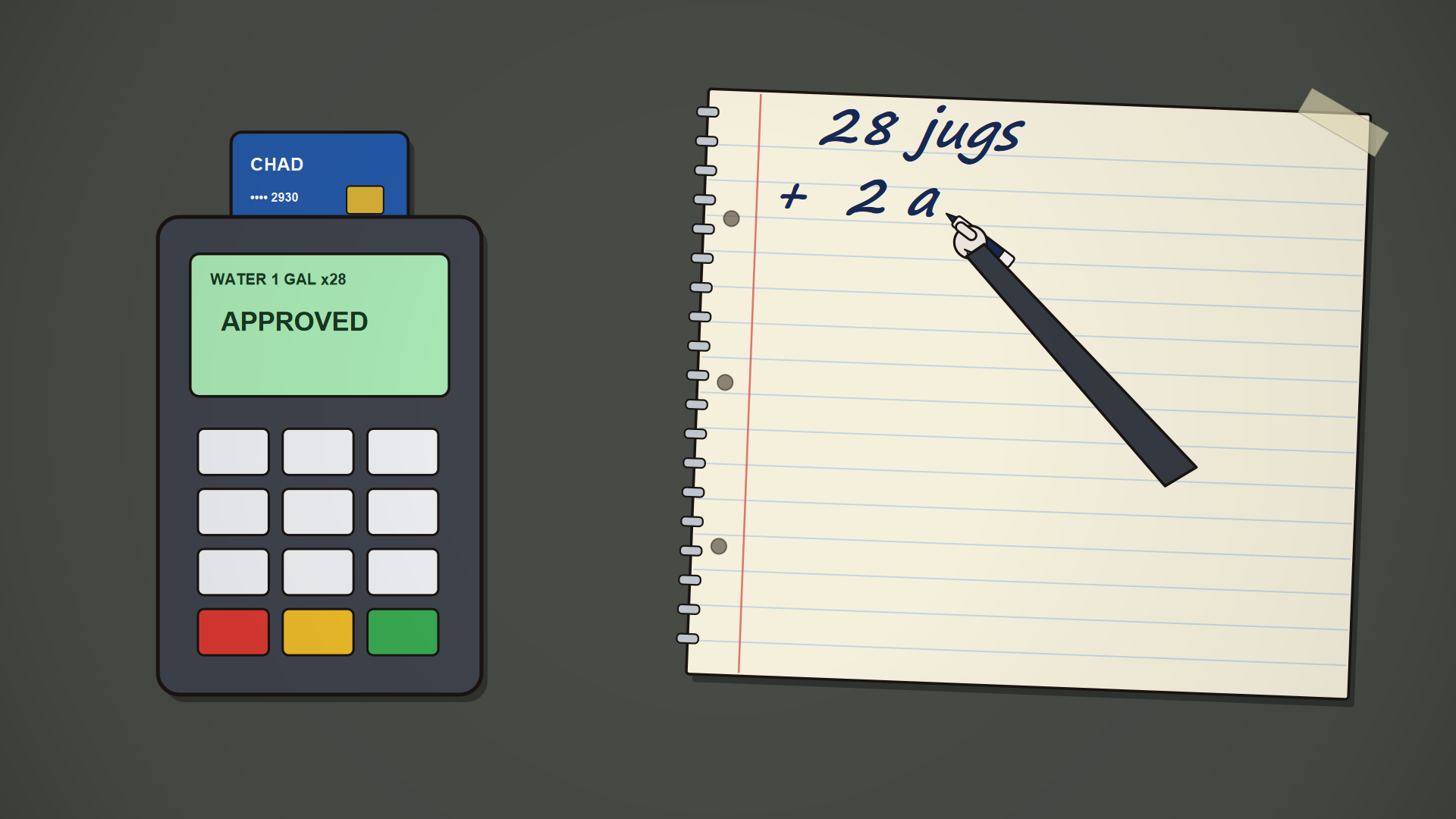
Chad H. - Credit / Debit Cards / Bank Screens: e.g.,
CHAD(•••• 2930) - Phone Calls / Speech Bubbles / Captions: Anyone calling or addressing the protagonist uses
"Chad". - Codebase & Rigs: Name the character rig function
draw_chad(...)across all engine modules and storyboard UIs.
- Emails / Letters / Messages: e.g.,


Rule #2: The "Exact Video" Forensic Analysis Method
- Drop & Inspect: I provide a reference video (e.g.,
Exact Video.mp4) and ask you to read and analyze it completely and carefully, then recreate the exact same visual style, hyper-active audience-grabbing animation, kinetic overlays, and pacing from scratch. - Never Copy Video Frames: Every single frame of the output MP4 must be rendered 100% from scratch via procedural 2D vector code (
PyCairo), then muxed with the audio track. - Complete Timeline Inspection (Zero Guessing):
- Run
ffprobeto get exact resolution (1920x1080), frame rate (30 fps), duration (590.87s), and total frame count (17,726). - Extract 60-second video chunks (
clip_0_60.mp4,clip_60_120.mp4, …) and 35–45 full-resolution 1080p keyframes (frame_*.jpg) at every major visual beat. - Inspect every clip and keyframe using
read_fileto map out a complete 100+ Shot Master Timeline (t0,t1, camerazoom0 -> zoom1,pan_x,pan_y,shake,red_pulse, and scene callback).
- Run
- Iterative Customization: When I ask for a character name change, prop tweak, or visual adjustment after the first render, update the specific scene module, re-render the affected segment(s) in parallel via
h264_nvenc, and re-mux immediately.
2. Visual & Kinetic Style Bible (With Reference Screenshots)
Every video in this style is built from five signature visual layers that keep viewer retention high by introducing a new kinetic movement, handwritten note, or cutaway every 2.5 to 5.5 seconds:
A. Rigged 2D Protagonist ("Chad")
- Proportions & Palette:
- Oversized round off-white head (
#EAE4DC) with thick charcoal-black ink outlines (#1A1512,4.0–5.5 pxround caps/joins). - Backward crimson baseball cap (
#B5423D) with a front keyhole cutout showing spiky dark-brown hair tufts (#3A2B22). - Quilted dark-slate puffy vest (
#3D3E44) with horizontal stitch lines over a dark long-sleeve shirt. - Stick arms (
5.5 pxblack strokes) with round white cartoon hands and stick legs with flat oval shoes.
- Oversized round off-white head (
- Poses & Expressions:
- Expressions:
neutral,worried,shocked(wide white sclerae + dilated pupils),grimace_teeth,wince,panting,asleep,angry. - Poses:
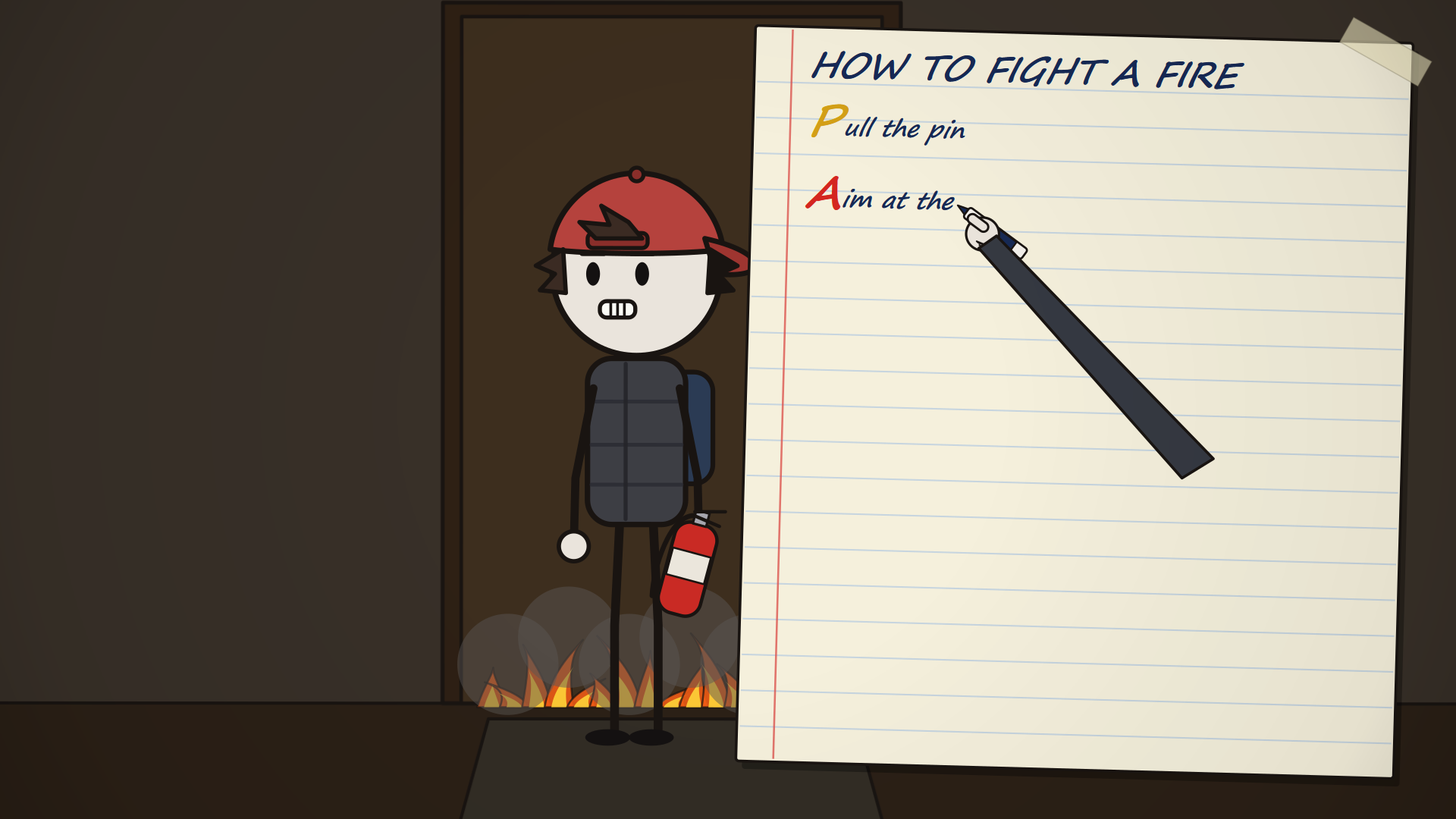
idle,walk(sine-wave leg/arm swing + head bob),sleep_bed,sit_bed,sit_chair,phone_ear,phone_look,point_right,tremble_jugs,crouch,brace_door,aim_extinguisher.
- Expressions:


B. Tactile Spiral Notebooks & Live Moving Pen Hand (draw_notebook_card)
- Paper Construction: Cream lined paper (
#F5F0DC), horizontal light-blue ruled lines, vertical red margin line, 3 punched binder holes, silver wire spiral rings on the left edge, and translucent tilted scotch tape (draw_scotch_tape) at top-right. - Live Writing Hand (
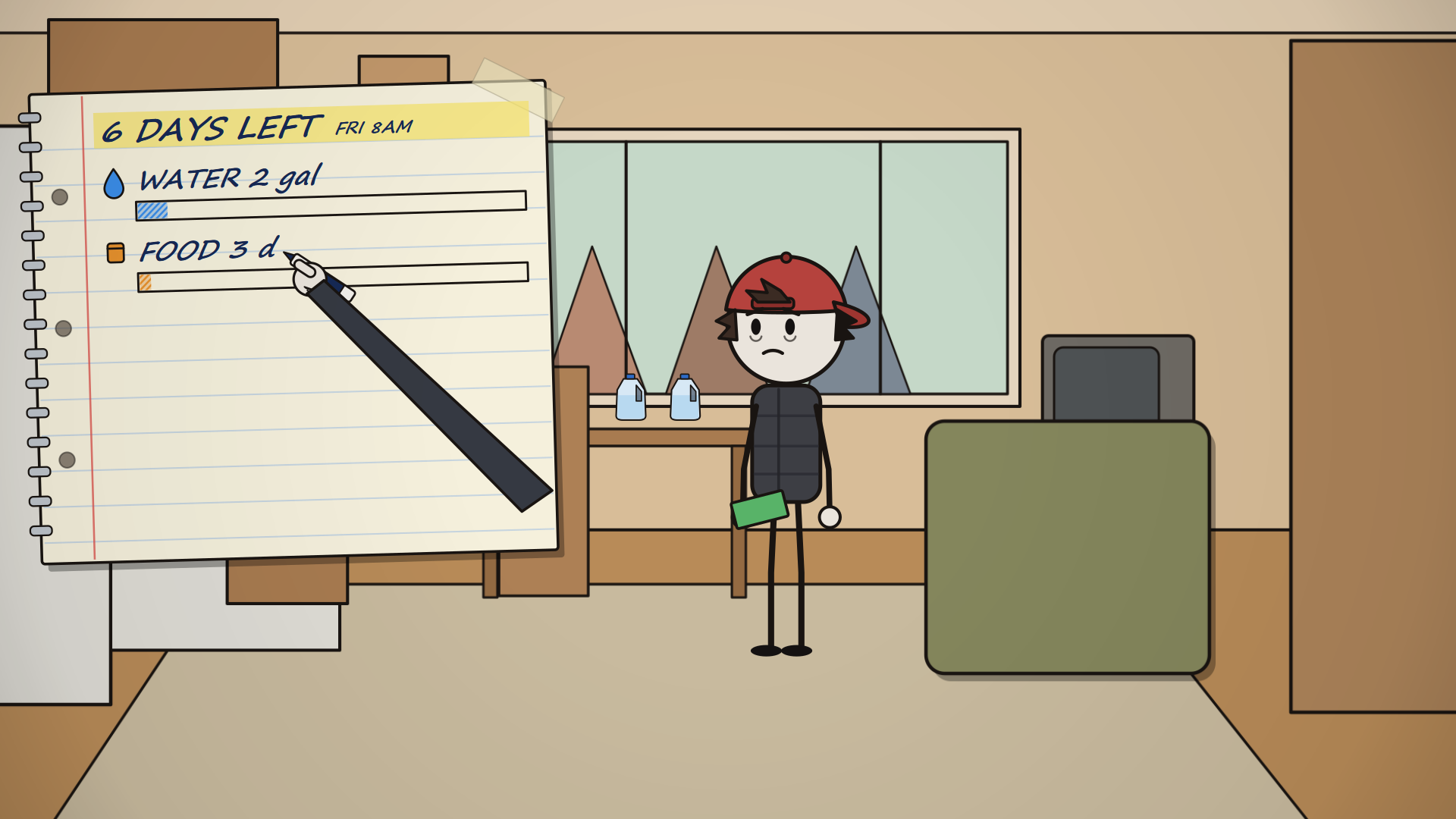
draw_hand_with_pen): A long dark-sleeved arm with a white cartoon hand holding a blue, black, or red marker tracks the active character or bar being drawn in real time! - Row Types:
bar_row: Mini vector icon (water,food,cash) + progressive handwritten label + rectangular meter filled with diagonal colored hatch lines (#3B8EEAblue,#E8922Dorange,#58B86Cgreen). Supports red strikethrough updates (2 gal -> 30 gal,3 -> 24 days,$40 -> $640).tally: Five-stroke tally groups (||||in blue ink + diagonal 5th slash/in red ink) with a live counter (JUGS 3..28,TRIP 1..11/11).pass_row: Large colored acrostic letters (P-A-S-SforHOW TO FIGHT A FIRE: Pull the pin, Aim at the BASE, Squeeze, Sweep side to side).month_droplets: 6×5 grid of 30 blue water droplets (30 GAL = 1 MONTH).


C. October Wall Calendar Countdown (draw_october_calendar)
- Pinned to a warm brown wall (
#7A5E42, pulsing crimson during1 DAY LEFTandHOUR ZERO) with a red pushpin at top center. - 5×7 grid for
OCTOBERwith Thursday23circled in thick red marker (9 PM). - At each day transition, the cartoon hand with a red marker draws a bold red
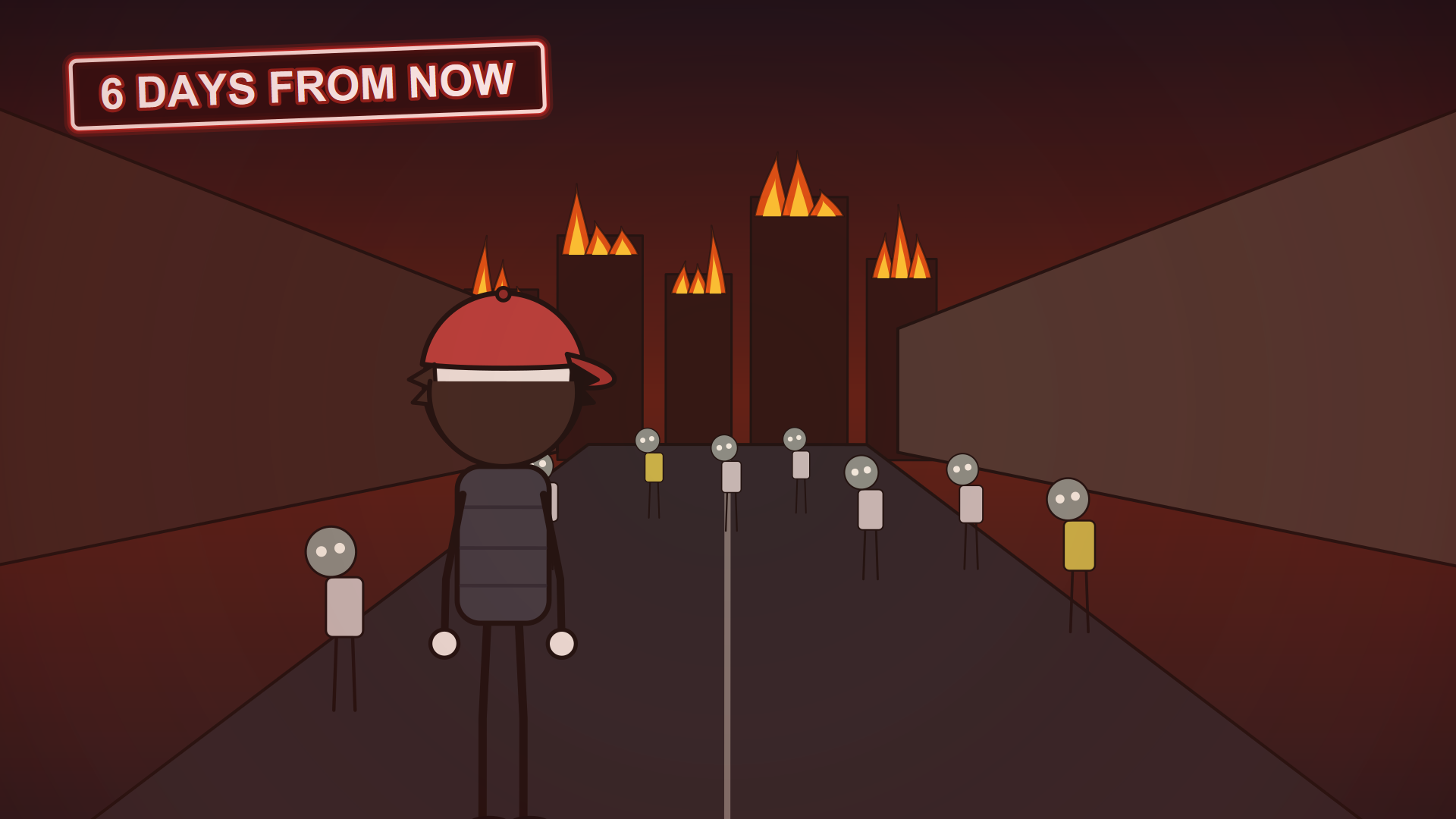
Xover the completed day (17through23) and writes the countdown title (6 DAYS LEFT,5 DAYS LEFT, …,HOUR ZERO) at the bottom. - From Day 4 onward, brown cardboard (
THIS SIDE UP ↑) is taped over the window beside the calendar.


D. Smartphone Emergency Alerts & Investigation Boards
- Emergency Alert Screen (
draw_smartphone_alert):- Tilted dark smartphone bezel held in one or two cartoon hands against a pulsing crimson radial backlight.
- Red alert card (
#BF1515) with yellow warning triangle,COUNTY ALERT · now, bold uppercase title (EMERGENCY ALERT), line-by-line text reveal, yellow highlighter sweep over the key survival phrase, andSender: Ashford County · Operator: EW04footer.
- Investigation Board (
draw_ellen_ward_board):- Connects clues on a dark background using animated red dashed curves (
Signed, Ellen Wardbusiness card $\rightarrow$ PolaroidALERT TEST / Operator: EW04labeledsame person, plus theZone 1..4quadrant map withZone 4circled in red).
- Connects clues on a dark background using animated red dashed curves (


E. Technical Survival Cutaways & Diagrams (engine/diagrams.py)
Whenever the narrator explains a physical mechanism or survival rule, cut immediately to a clean, high-contrast diagram:
- Calorie Tube Meter (
draw_calorie_tube_overlay): Glass test-tube filling with peanut butter arcing out of a jar on the table until it hits2,500calories and cracks the glass! - Architectural Door Cross-Section (
draw_door_cross_section&draw_screw_stud_inset): Top-down diagram (Your front door, from above) showing how a 1-inch screw only holds the thinframewhile a 3-inch brass screw bites deep into thewall stud. - 120-Gallon Water Stack (
draw_water_stack_120_diagram):30 jugs+40 tub+50 heaterstacking into a single120 gallonscolumn with a red curly brace. - Bug-Out Backpack X-Ray (
draw_backpack_xray): Top-down dashed X-ray inside the backpack on a wood plank floor (2 gal water,3 days,RICE,food,radio,first aid).


F. High-Tension Action, Peephole Horror & Finale
- Vertical Phone Footage (
draw_hospital_phone_video): 9:16 vertical social-video frame showing the hospital hallway zombie attack, followed by a 3×3 thumbnail grid turningVideo unavailableone by one. - Circular Fisheye Peephole Sequence (
peephole_sequence): Dark circular viewport with glass rim reflection showing the neighbor in his straw garden hat, closeup of the bloody bite on his wrist, soil-blackened fingernails reaching under the door gap, and his tilted grey-green zombie head lunging at the peephole. - Hallway Extinguisher Fight & Rooftop Nuclear Finale: Blasting white chemical powder, swinging the red fire extinguisher cylinder, wedging the rooftop door handle, and the final wide rooftop shot with an expanding white-blue shockwave dome and towering nuclear mushroom cloud.


3. Step-by-Step Execution Pipeline for Future Videos
When creating or recreating a video with this skill, execute these 5 stages in order:
- Stage 1 — Forensic Probe & Keyframe Extraction
- Run
ffprobeto record exact width, height, FPS, frame count, and audio codec. - Extract 60s video chunks (
-vf scale=640:360) and 1080p keyframes (frame_*.jpg) into the scratch directory and inspect them withread_file.
- Run
- Stage 2 — Modular Vector Engine Setup (
engine/)engine/primitives.py: Camera matrix (apply_camerawith creeping zoom1.00 -> 1.14, pan, and procedural trauma shake), cached radial vignette (draw_vignette), pulsing red alarm overlay (draw_red_alarm_pulse), hand-inked boxes (draw_ink_box), scotch tape, slanted stamp banners, speech bubbles, digital clock, ECG waveform, sound-wave arcs, and fire plumes.engine/characters.py: Riggeddraw_chad(neverMelvin),draw_neighbor,draw_hand_with_pen,draw_water_jug, anddraw_fire_extinguisher_prop.engine/overlays.py:draw_notebook_card,draw_sticky_note_pad,draw_taped_label,draw_october_calendar, anddraw_smartphone_alert.engine/diagrams.py: All technical cutaways, receipts, emails (To: Chad,Chad H.), investigation boards, and X-ray views.engine/environments.py&engine/environments_part2.py: Cached_get_cached_bg(key, builder_fn)1080p base surfaces so static room/exterior geometry renders once per worker process (>140–300 FPS).engine/timeline.py: MasterSHOTStable mapping(t0, t1, zoom0, zoom1, pan_x, pan_y, shake, red_pulse, draw_fn)across the entire duration.- Font Glyph Rule: Avoid raw Unicode emojis (
💧,🔍,🔕) insideSegoe Printtext strings (which render as[]boxes); always use vector mini-icons (draw_mini_icon) or clean ASCII text.
- Stage 3 — Smoke Test All Shots
- Before launching the full video encode, run a 2-second test rendering the start, midpoint, and end of every shot in
SHOTSto catch any syntax or drawing errors upfront.
- Before launching the full video encode, run a 2-second test rendering the start, midpoint, and end of every shot in
- Stage 4 — Multi-Worker Parallel NVENC Render (
recreate_video.py)- Split total frames across 6 parallel
ProcessPoolExecutorworkers (first 3 workers using-c:v h264_nvenc -preset p4 -cq 20 -b:v 4500k, remaining workers using-c:v libx264 -preset veryfast -crf 20). - Concatenate segments losslessly with
ffmpeg -f concatand mux the stereo AAC audio track (-map 0:v:0 -map 1:a:0 -c:v copy -c:a aac -b:a 192k -shortest).
- Split total frames across 6 parallel
- Stage 5 — Interactive Studio (
index.html) & Verification- Build
index.htmlwith solo and synchronized side-by-side comparison players, frame stepping (-1 / +1 Frame), chapter quick-jump buttons, and a clickable shot-by-shot storyboard inspector. - Verify the final MP4 with
ffprobeand inspect extracted frames viaread_file.
- Build
4. Bundled Python Scripts & Engine Modules (./scripts/)
All executable Python scripts and procedural 2D vector engine modules are included directly inside this skill's scripts/ folder for immediate reuse:
- Forensic Reference Video Analyzer: analyze_reference_video.py
- Probes video metadata (
ffprobe), extracts 60-second preview clips (clip_0_60.mp4, …), and dumps 1080p keyframes (frame_*.jpg).
- Probes video metadata (
- Parallel Multi-Worker NVENC Video Renderer: recreate_video.py
- Renders all 17,726 frames (
1920x1080@30fps) across 6 parallel worker processes (h264_nvenc+libx264), concatenates segments losslessly, and muxes the stereo audio track.
- Renders all 17,726 frames (
- Procedural 2D Vector Engine Package (
./scripts/engine/):- primitives.py: Camera zoom/pan/trauma-shake transform (
apply_camera), cached radial vignette (draw_vignette), pulsing red alarm overlay (draw_red_alarm_pulse), hand-inked strokes, translucent scotch tape, slanted stamp banners, speech bubbles, digital LED clock, glowing red ECG heartbeat waveform, sound-wave arcs, and animated fire plumes. - characters.py: Rigged protagonist
draw_chad(backward red cap, puffy vest, expressions, walk/sit/crouch/brace poses, held props),draw_neighbor(gardener vs. tilted-head zombie), anddraw_hand_with_pen. - overlays.py:
draw_notebook_card(cream lined paper, spiral rings, highlighter header, hatched progress bars, red strikethrough updates,tallycounters,P-A-S-Srows,30 GAL = 1 MONTHdroplet grid, live writing hand),draw_sticky_note_pad,draw_taped_label,draw_october_calendar, anddraw_smartphone_alert. - diagrams.py: All 15 bespoke cutaways and technical diagrams (
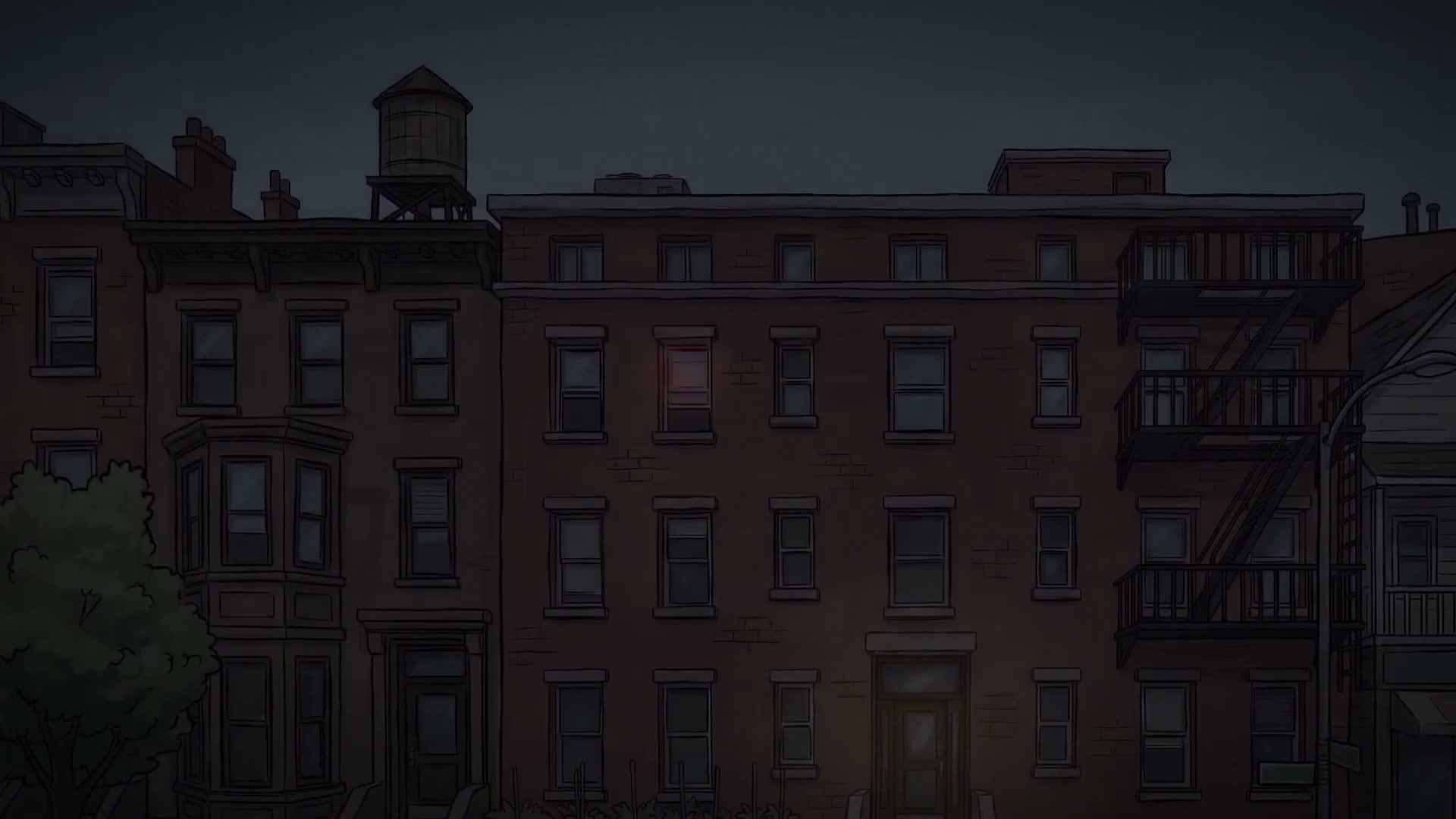
draw_email_printoutwithTo: Chad&Chad H.,draw_card_terminal_splitwithCHAD,draw_ellen_ward_board,draw_door_cross_section,draw_strike_plate_ruler,draw_screw_stud_inset,draw_calorie_tube_overlay,draw_pantry_receipt,draw_water_stack_120_diagram,draw_backpack_xray,draw_calendar_6_summary,draw_cart_topdown,draw_power_out_atms,draw_fridge_4h_diagram,draw_water_heater_50gal_diagram,draw_folded_note_doormat,draw_hospital_phone_video). - environments.py: Cached 1080p base surfaces + dynamic renderers for Birch Street Brownstone, Apocalypse Street, Chad's Bedroom, and Window Garden POV.
- environments_part2.py: Cached 1080p base surfaces + dynamic renderers for Living Room/Kitchen, Front Door, Supermarket Aisles, Ashford Savings Bank ATMs, CRT TV News, Bathroom & Water Heater Closet, 3rd/4th Floor Hallway & Peephole Sequence, and Rooftop Nuclear Finale.
- timeline.py: Complete 116-shot master dispatcher (
SHOTSandrender_frame(ctx, t)).
- primitives.py: Camera zoom/pan/trauma-shake transform (